• Home
  • About Us
  • Toolkit
  • Archives
  • Advertise
  • Privacy Policy

Kids Ain't Cheap

But They Sure Are Worth It

  • Parenting
    • Baby Stuff
    • Books and Reading
      • Aesops Fables
      • Comic Books
    • Education
    • Family Time
    • Green Living
    • Growing Up
    • Healthy Living & Eating
    • Holidays
    • Parenting
    • Random Musings
    • Shopping
    • Stuff to Do
  • Money
  • Product Reviews
    • Books and Magazines
    • Discount Sites
    • Furniture
    • House Keeping
    • Reviews News
    • Toys and Games
  • Contact Us
  • Our Editorial Commitment
  • Search

The Dark Side of Kids’ YouTube You Didn’t See Coming

May 31, 2025 | Leave a Comment

The Dark Side of Kids YouTube You Didnt See Coming

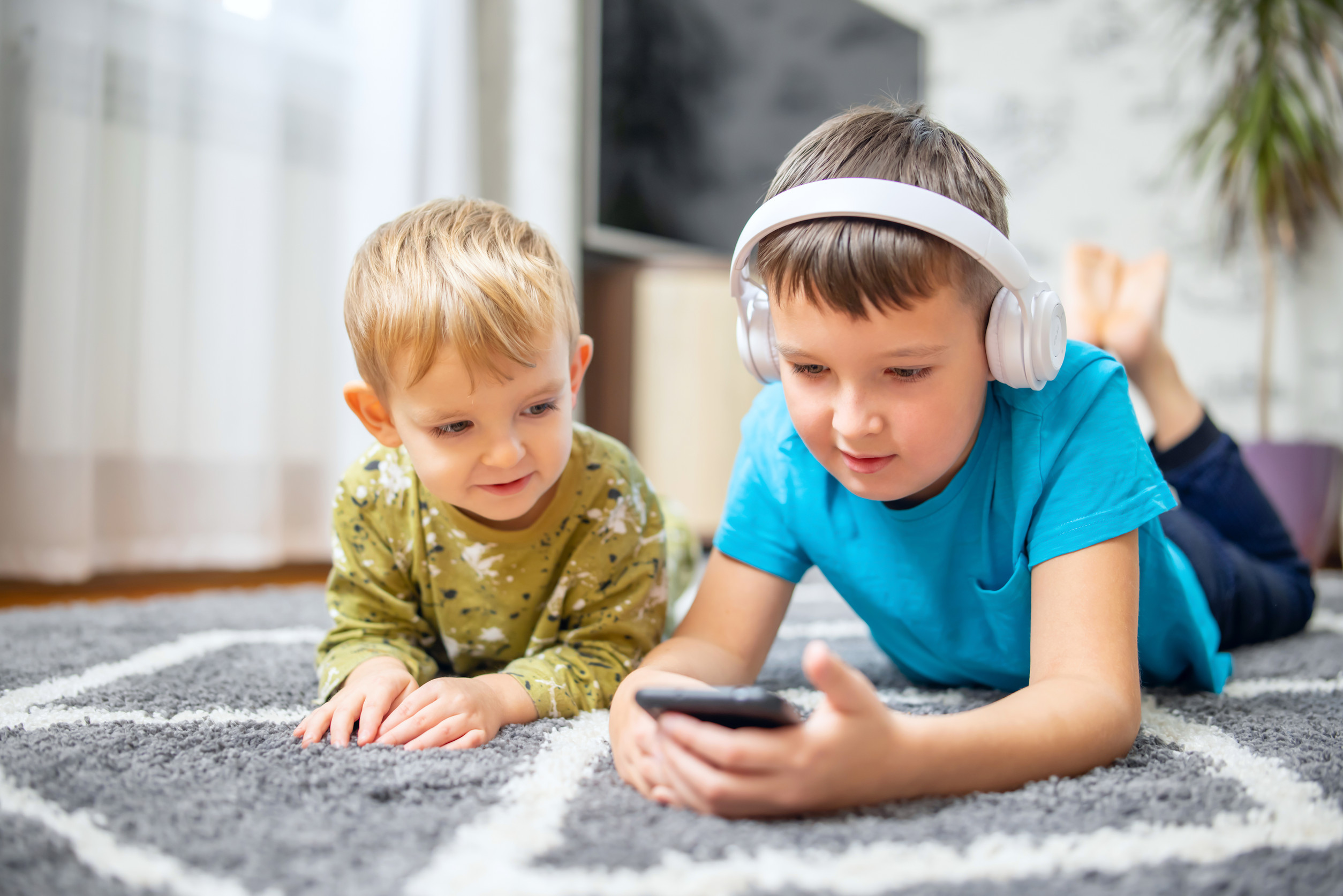
At first glance, kids’ YouTube seems like a lifesaver. It offers endless content tailored for little eyes, and the bright colors, catchy songs, and animated adventures make it wildly appealing. But beneath the surface of what looks like harmless fun, there’s a darker, more complicated reality that many parents aren’t prepared for. Kids’ YouTube isn’t just a platform filled with silly videos—it’s also home to manipulative content, questionable messages, and algorithms that don’t always have your child’s best interest at heart. If you’re relying on it as your digital babysitter, it’s time to take a closer look at what’s really playing on the screen.

1. The Algorithm Cares About Views, Not Values

YouTube’s recommendation system is driven by engagement, not age-appropriateness or educational merit. That means once your child clicks on a video—even an innocent one—they’re quickly funneled into a loop of related content that might not be parent-approved. Some of these videos are low-quality or filled with clickbait thumbnails and sensational titles. Kids’ YouTube doesn’t differentiate well between entertaining and exploitative. If left unsupervised, your child can quickly go from Peppa Pig to something far less wholesome.

2. Disturbing Videos Masquerade as Kid Content

You’d be surprised how many seemingly innocent videos include disturbing or inappropriate scenes hidden in the middle. Some content creators tag videos with popular kid terms to trick the algorithm and gain more views. The result? Creepy animations, violent themes, or bizarre role-playing that looks kid-friendly on the surface but takes a dark turn halfway through. These aren’t just one-off cases—they’ve been part of ongoing problems with content moderation on kids’ YouTube. Even YouTube Kids, the filtered version, has failed to fully eliminate this problem.

3. Addiction Happens Sooner Than You Think

Because kids’ YouTube is designed to be hyper-stimulating, it often leads to binge-watching. Autoplay keeps videos rolling endlessly, and the fast-paced, flashy style can be hard for young brains to look away from. Many parents notice that their kids become agitated or emotional when screen time ends. This isn’t a coincidence—it’s a behavioral response to overstimulation and lack of boundaries. Early screen addiction is a growing concern, and platforms like kids’ YouTube make it easy to fall into that trap without even noticing.

4. Product Pushing Is Practically Everywhere

Many videos are essentially ads disguised as entertainment. Unboxing videos, toy reviews, and branded content often blur the line between content and commercial. Young children don’t have the cognitive skills to distinguish ads from shows, so they absorb it all as truth and start begging for the latest must-have item. Influencers targeting kids can make millions by subtly (or not-so-subtly) selling products in their videos. If you think kids’ YouTube is just harmless screen time, think again—it’s also a nonstop marketing machine.

5. Unrealistic Behavior Gets Reinforced

Some popular kids’ YouTube videos model exaggerated behavior, poor manners, or even unsafe actions. Whether it’s kids screaming at their parents in prank videos or cartoon characters being mean to each other, these actions can influence how your child acts. It’s not always about what’s explicitly shown—it’s about the tone, repetition, and underlying message. The more your child watches, the more likely they are to mirror what they see. Monitoring isn’t just about avoiding bad words—it’s about protecting your child’s developing sense of right and wrong.

6. Parents Get Desensitized Too

When you’re busy, stressed, or simply needing a break, it’s tempting to hand over a screen and enjoy the peace and quiet. But as you get used to the routine, it’s easy to become less critical of what your child is watching. You may assume the content is fine because you’ve seen a few good videos, but the reality changes fast. Kids’ YouTube evolves constantly, and creators chase trends, not values. Passive screen time can quickly become a daily default, and that can be hard to undo.

7. Comments and Live Chats Open Dangerous Doors

While YouTube has taken steps to disable comments on many kid-focused videos, not all content is protected. In some cases, comment sections or live chats remain open and become hotspots for spam, inappropriate messages, or even predatory behavior. Older kids who start engaging with content beyond the youngest age group may stumble into these features. It’s one more reason why even “safe” platforms need active supervision. Kids’ YouTube isn’t as locked down as many parents assume.

8. Educational Alternatives Get Overlooked

With so much noise on the platform, truly educational, high-quality content can be hard to find. Parents may think their child is learning something just because it’s animated or includes numbers and letters. But kids’ YouTube isn’t built around educational goals—it’s built to keep viewers watching. If your goal is enrichment, there are better options, from curated apps to streaming platforms with vetted content. Being intentional about what kids watch is worth the extra effort.

Don’t Panic—But Don’t Tune Out

The dark side of kids’ YouTube isn’t something to fear—it’s something to be aware of. Technology isn’t going away, and banning screens altogether isn’t realistic for most families. But knowing the risks means you can make better choices. Watch with your kids, use parental controls, and guide them toward content that reflects your values. With intention and balance, screen time doesn’t have to be scary—it can be another opportunity to connect, learn, and grow together.

Have you ever caught something questionable on kids’ YouTube? How do you manage screen time in your home? Share your experience in the comments!

Read More:

YouTube Safety Rules Every Parent Should Know

When YouTube Becomes the Babysitter—And How to Take Control

Catherine Reed
Catherine Reed

Catherine is a tech-savvy writer who has focused on the personal finance space for more than eight years. She has a Bachelor’s in Information Technology and enjoys showcasing how tech can simplify everyday personal finance tasks like budgeting, spending tracking, and planning for the future. Additionally, she’s explored the ins and outs of the world of side hustles and loves to share what she’s learned along the way. When she’s not working, you can find her relaxing at home in the Pacific Northwest with her two cats or enjoying a cup of coffee at her neighborhood cafe.
Filed Under: Safety Tagged With: child development, digital parenting, kids’ YouTube, Online Safety, parenting in the digital age, Screen Time, tech and toddlers, YouTube Kids

YouTube Safety Rules Every Parent Should Know

May 15, 2025 | Leave a Comment

YouTube Safety Rules Every Parent Should Know

YouTube can be a goldmine of creativity, learning, and entertainment for kids—but it can also expose them to content they’re not ready to handle. With millions of videos uploaded daily, the platform can be hard to monitor in real time, even for the most vigilant parent. And while YouTube has parental controls in place, they’re not foolproof. That’s why understanding how to set boundaries, spot red flags, and teach your kids how to use the platform responsibly is more important than ever. If your child watches YouTube, these safety rules should be non-negotiable in your household.

1. Always Enable Restricted Mode

Restricted Mode is one of the first lines of defense when it comes to filtering out inappropriate content. It helps hide videos flagged for adult themes, violence, or other mature topics. While it’s not 100% accurate, it significantly reduces the risk of your child stumbling across harmful material. You can enable it on both browser and mobile versions of YouTube, and even lock the settings with a password. It’s a simple but essential tool to make your child’s viewing environment safer.

2. Supervise and Co-View When Possible

No setting or filter replaces the value of adult supervision. Watching videos with your child not only keeps them safe but also gives you insight into what they’re interested in. You can ask questions, suggest alternatives, and create teachable moments around what you see together. If co-viewing isn’t always possible, try to check in regularly and ask about what they’re watching. Open communication can catch issues algorithms miss.

3. Set Clear Screen Time Limits

YouTube’s endless scroll and autoplay features are designed to keep users hooked. That’s why setting a daily limit on viewing time is critical, especially for younger kids. Use timers, digital wellbeing tools, or built-in parental controls on devices to enforce healthy boundaries. Too much screen time can impact sleep, behavior, and even mental health. Creating time limits teaches your child to use YouTube intentionally, not habitually.

4. Use YouTube Kids Instead of the Main App

For children under 13, YouTube Kids offers a more curated and age-appropriate experience. It includes built-in filters, no comment sections, and the ability to set time limits right in the app. Parents can also choose content based on their child’s age and even handpick approved videos and channels. While it’s still smart to supervise, YouTube Kids is generally a safer starting point than the main platform. Just be sure to keep the app updated and review settings regularly.

5. Turn Off Autoplay

Autoplay is one of the sneakiest ways kids get pulled into content spirals. One harmless video can lead to another that’s totally inappropriate, thanks to the platform’s recommendation algorithm. Turning off autoplay stops this chain reaction and gives your child a natural pause between videos. It also gives you more control over what they’re watching, instead of letting YouTube decide. This small change can make a big difference in content quality.

6. Monitor the Comment Section or Disable It Altogether

If your child posts videos or uses an account with access to comments, be aware that the comment section can expose them to bullying, inappropriate language, or strangers. Comments can be turned off in YouTube settings or on individual videos. If your child is old enough to use the main platform, talk to them about not replying to unknown users. Comments may seem harmless, but they can quickly become unsafe without proper boundaries.

7. Teach Kids to Recognize Red Flags

Sometimes content that looks safe turns out not to be. Teach your child to spot signs of inappropriate videos, such as clickbait titles, strange animation, excessive ads, or scary imagery. Encourage them to come to you right away if something feels off or makes them uncomfortable. The goal is to help them become active, thoughtful viewers rather than passive ones. With guidance, they can learn to protect themselves even when you’re not watching.

8. Use a Family Account with Supervised Access

Creating a family account gives you more oversight into what your child is watching. You can set up supervised access through Google Family Link, which lets you manage settings, viewing history, and search permissions. This lets your child explore YouTube within limits you control. It also keeps their personal data more secure. A shared account keeps things transparent and manageable for everyone.

9. Talk About Influencers and Ads

Many kids idolize YouTube influencers and may not realize when they’re being marketed to. Talk openly about sponsored content, product placement, and how not everything shown is real or attainable. Help your child think critically about what they see and how it influences their choices and self-image. Understanding how advertising works on the platform is a big part of YouTube safety. A few honest conversations can go a long way in shaping digital awareness.

10. Keep the Conversation Going

YouTube safety isn’t a one-and-done discussion. As your child grows, their interests and internet habits will evolve—and your rules should too. Keep the door open for ongoing conversations, rule changes, and check-ins. Let your child know that safety doesn’t mean spying—it means support. The more they trust you, the more likely they are to speak up when something feels wrong.

Tech Tools Help, But Your Voice Matters Most

Parental controls and privacy settings are useful, but nothing replaces an engaged, informed parent. YouTube can be a great tool for learning and creativity when used the right way. By staying involved and setting clear boundaries, you protect your child’s experience without robbing them of their curiosity. It’s not about fear—it’s about building trust, awareness, and digital habits that last a lifetime.

What’s your biggest concern when your child uses YouTube? Share your thoughts in the comments!

Read More:

10 Hidden Dangers of Social Media Every Parent Should Know

15 Things You Should Never Share About Your Children on Social Media

Catherine Reed
Catherine Reed

Catherine is a tech-savvy writer who has focused on the personal finance space for more than eight years. She has a Bachelor’s in Information Technology and enjoys showcasing how tech can simplify everyday personal finance tasks like budgeting, spending tracking, and planning for the future. Additionally, she’s explored the ins and outs of the world of side hustles and loves to share what she’s learned along the way. When she’s not working, you can find her relaxing at home in the Pacific Northwest with her two cats or enjoying a cup of coffee at her neighborhood cafe.

Filed Under: Parenting Tagged With: child safety online, digital parenting, family internet rules, online parenting, Screen Time, YouTube Kids, YouTube safety

  • Facebook
  • Pinterest
  • RSS
  • Twitter

Basic Principles Of Good Parenting

Here some basic principles for good parenting:

  1. What You Do Matters: Your kids are watching you. So, be purposeful about what you want to accomplish.
  2. You Can’t be Too Loving: Don’t replace love with material possessions, lowered expectations or leniency.
  3. Be Involved Your Kids Life: Arrange your priorities to focus on what your kid’s needs. Be there mentally and physically.
  4. Adapt Your Parenting: Children grow quickly, so keep pace with your child’s development.
  5. Establish and Set Rules: The rules you set for children will establish the rules they set for themselves later.  Avoid harsh discipline and be consistent.
  6. Explain Your Decisions: What is obvious to you may not be evident to your child. They don’t have the experience you do.
  7. Be Respectful To Your Child: How you treat your child is how they will treat others.  Be polite, respectful and make an effort to pay attention.
Best Parenting Blogs

Most Popular

Baby names

Teachers Admit: These 6 Baby Names Create Instant Bias in the Classroom

Latrice Perez
6 Baby Names That Sound Cute Now but Cause Problems Later

6 Baby Names That Sound Cute Now but Cause Problems Later

Brandon Marcus
11 Ways Kids Are Outsmarting Parental Controls 1. Using Alternate Devices One common trick is simply turning to another device. If a child’s main phone or tablet is restricted, they may borrow a sibling’s, friend’s, or even a school laptop. This instantly gives them access to content outside of parental oversight. Parents often focus on one device, forgetting that others in the household can serve as loopholes. Knowing this tactic helps families tighten controls across all electronics. 2. Clearing Browsing Histories Many kids quickly learn that clearing browsing history hides evidence of restricted activity. With just a few clicks, they can erase any trace of websites visited. This makes it harder for parents to notice when rules are being broken. Parents may assume no history means no browsing, but the reality is often the opposite. Kids are outsmarting parental controls by making it seem like nothing happened at all. 3. Using Private Browsing Modes Most browsers offer “incognito” or private browsing features. Kids use this mode to access websites without leaving a record in the history. To parents checking later, everything looks clean and safe. This simple trick is often one of the first ways kids discover how to bypass restrictions. Conversations about private browsing can help close this gap. 4. Guessing or Resetting Passwords Children who are persistent may try to guess passwords to parental control apps or accounts. Others may find ways to reset them through email prompts or security questions. Once inside, they can disable restrictions entirely. Parents may not even realize controls have been altered until much later. Stronger, less predictable passwords can make this more difficult. 5. Using VPNs to Hide Activity Virtual private networks, or VPNs, let kids disguise their online locations. With one downloaded app, they can bypass geographic or parental restrictions. Some children learn about VPNs through friends or even social media. This makes it easy for them to reach content that should be blocked. Parents often underestimate just how simple it is for kids to use these tools. 6. Creating Fake Accounts When parents monitor social media, kids may create hidden accounts. These “finstas” or fake profiles allow them to interact freely without parental oversight. While their main account appears harmless, the secondary one tells a different story. Kids are outsmarting parental controls by playing both sides at once. Checking for duplicate accounts can help parents stay more aware. 7. Exploiting Time Zone Settings Some kids change the time zone on their devices to bypass screen time limits. This trick allows them to gain extra hours of usage undetected. Parents may assume controls are working, but in reality, the child is bending the clock. It’s a clever loophole that highlights just how resourceful kids can be. Monitoring device settings regularly can catch this tactic. 8. Disabling or Uninstalling Apps Parental control apps can be deleted or disabled with surprising ease. Some kids even reinstall them before a parent checks, making it seem like nothing changed. Others may simply restrict permissions to prevent apps from functioning properly. When apps aren’t monitored closely, parents may not notice they’ve been tampered with. This shows the importance of consistent follow-up. 9. Turning to Friends for Access If a child can’t get past restrictions on their own, they may rely on friends. Visiting a friend’s house or borrowing their phone can give them a free pass. Parents often forget that peer environments can override restrictions set at home. This kind of social workaround is especially common with gaming or social media. Open conversations about trust and responsibility are essential. 10. Hiding Apps in Plain Sight Kids sometimes download apps that look innocent but serve as gateways to hidden activity. These apps may disguise themselves as calculators or utilities. In reality, they allow file storage, private messaging, or browser access. Parents glancing at a home screen may overlook them entirely. Learning to recognize these disguised apps can help parents stay informed. 11. Outpacing Parents’ Tech Knowledge Finally, kids often know more about devices than their parents do. Whether through YouTube tutorials, TikTok hacks, or peer groups, they quickly learn advanced workarounds. This knowledge gap means controls can be bypassed before parents even realize the loophole exists. Staying informed and continually learning about new technology is the best defense. Kids are outsmarting parental controls because they adapt faster than most adults. The Real Solution Lies Beyond Restrictions While controls and filters are important, no system is perfect. Kids will always find creative ways around barriers, making communication the strongest safeguard. Setting clear expectations, building trust, and having ongoing conversations about online behavior matter more than apps alone. Parents who combine technology with open dialogue create a safer digital environment. The goal isn’t to win a battle of wits but to build a relationship that keeps kids both safe and honest. Do you think kids are outsmarting parental controls faster than parents can keep up? Share your experiences in the comments below. What to Read Next... 6 Parenting Tech Shortcuts That Can Expose Your Child to Strangers How Much Screen Time Is Too Much—Legally Speaking? Is Your Child’s School Quietly Tracking Their Location Without Your Consent? How Much Screen Time Is Quietly Reshaping Childhood Behavior? Why Some Parents Are Being Investigated Over Homeschooling Records

11 Ways Kids Are Outsmarting Parental Controls

Catherine Reed
Smiling grandfather holding a happy baby indoors.

Why Grandparents Shouldn’t Babysit Their Grandkids Every Week – The Unspoken Issue

Samantha
birthday gifts

7 Birthday Gifts Your Child Should Never Bring to a Party

Latrice Perez

All content on Kids Ain’t Cheap is for entertainment purposes only. By reading this blog, you agree that Kids Ain’t Cheap is not responsible for any actions taken after reading this blog. For the full disclaimer, see our privacy policy.

Please note that Kids Ain’t Cheap has financial relationships with some of the merchants mentioned here. Kids Ain’t Cheap is funded by banner advertising, commission sales and search optimization consulting.

Copyright © 2006–2026 | District Media | All Rights Reserved | Privacy Policy

Copyright © 2026 Runway Pro Theme by Viva la Violette