
• Home
  • About Us
  • Toolkit
  • Archives
  • Advertise
  • Privacy Policy

Kids Ain't Cheap

But They Sure Are Worth It

  • Parenting
    • Baby Stuff
    • Books and Reading
      • Aesops Fables
      • Comic Books
    • Education
    • Family Time
    • Green Living
    • Growing Up
    • Healthy Living & Eating
    • Holidays
    • Parenting
    • Random Musings
    • Shopping
    • Stuff to Do
  • Money
  • Product Reviews
    • Books and Magazines
    • Discount Sites
    • Furniture
    • House Keeping
    • Reviews News
    • Toys and Games
  • Contact Us
  • Our Editorial Commitment
  • Search

The Silent Threat: 9 Digital Attacks Experts Say Are Imminent For Kids’ Devices

July 28, 2025 | Leave a Comment

The Silent Threat 9 Digital Attacks Experts Say Are Imminent For Kids Devices
Image source: 123rf.com

Your child’s tablet or smartphone might seem harmless, but behind the screen could lurk serious and fast-approaching risks. Cybersecurity experts warn that kids’ devices are now prime targets for digital attacks, thanks to the growing number of apps, games, and online accounts they use every day. These threats aren’t just about annoying pop-ups or viruses—they can compromise personal data, expose children to predators, and even lead to identity theft. Parents often install basic parental controls and assume they’re covered, but today’s digital dangers require more awareness and stronger defenses. Here’s a closer look at the digital attacks experts say are becoming harder to detect—and more common with every tap and click.

1. Malware Hidden in Kids’ Games

Malware isn’t just something adults need to worry about. Many popular kids’ games, especially free downloads, are loaded with hidden code that can spy on activity or steal data. These malicious programs may track location, monitor microphone use, or collect sensitive details like contact lists. Because kids often accept all permissions without reading them, they’re easy targets. Digital attacks like these are quietly spreading through app stores, making device safety harder to manage.

2. Phishing Attempts in Chat Features

In-game chats and social platforms aimed at kids are increasingly used to launch phishing attacks. Children may receive links from strangers pretending to be friends, offering “free coins” or exclusive features that actually lead to harmful sites. Once clicked, these sites can trick kids into revealing login credentials, emails, or even payment details. Since children don’t always know the signs of a scam, they are especially vulnerable to this form of digital attack. Teaching kids to pause before clicking is one of the best defenses.

3. Identity Theft from Simple App Signups

It sounds dramatic, but even a basic app signup can be the gateway to identity theft. Some games and platforms require full names, birthdates, and emails—all of which can be used to open fake accounts or steal identities. Because kids don’t recognize this information as sensitive, they often share it freely. Hackers target children specifically because their credit histories are clean and rarely monitored. Digital attacks targeting young users for identity theft are rising rapidly as a result.

4. Ransomware Attacks on Family Devices

Ransomware isn’t limited to businesses anymore. Families are now targets, especially those with kids who download apps from unofficial sources. One wrong click can lock a phone or tablet until a ransom is paid—sometimes even affecting shared home networks. These attacks can paralyze all household devices if not contained quickly. As digital attacks evolve, even children’s screens can serve as the entry point for larger threats.

5. Spyware in Educational Apps

Some educational tools and platforms used for school are collecting more data than parents realize. Spyware is often embedded under the radar, gathering detailed analytics on a child’s behavior, preferences, and usage patterns. While marketed as learning enhancement, the line between education and surveillance is blurring. These programs can send data to third parties without proper disclosure. Digital attacks are now quietly piggybacking on tools parents trust.

6. Deepfake Technology for Impersonation

Kids’ photos and voices are increasingly being used to create deepfake content. Cybercriminals can extract video or audio clips from shared media or hacked devices and use them to mimic children convincingly. These deepfakes might be used in scams or to deceive family members and teachers. It’s not just a celebrity problem—kids are vulnerable, too. Digital attacks involving impersonation are evolving faster than most parents can keep up with.

7. Trojan Downloads in YouTube Clone Apps

YouTube clone apps or download tools for offline videos may seem helpful, but many come packed with trojan software. These programs operate behind the scenes, giving hackers access to everything from your child’s photos to your Wi-Fi credentials. Kids often download these tools without knowing the risks. Once installed, these trojans can be nearly invisible and hard to remove. Digital attacks often start with what looks like convenience.

8. Unsecured Smart Toys and Wearables

Smart toys, watches, and fitness trackers designed for kids can also open doors to digital harm. Many of these gadgets connect to cloud services that lack proper encryption, meaning data can be intercepted. Hackers may track a child’s location, conversations, or even interact with them through the toy. It’s one of the more disturbing ways digital attacks are reaching into playtime. Not all smart tech is safe, even when it’s made for kids.

9. Adware That Turns into Something Worse

Annoying pop-up ads aren’t always just about ads. Some adware is designed to install other malware in the background or redirect browsers to explicit or dangerous content. Once it’s on a device, it can be hard to eliminate without a complete reset. Kids who use free gaming sites or apps with lots of ads are most at risk. What starts as a simple annoyance can become one of the stealthiest digital attacks kids face.

The Best Defense Starts with Awareness

The best way to protect your child from digital attacks is by staying informed and involved. These threats are no longer limited to adult work laptops or shady websites—they’re woven into the apps and devices kids use daily. It’s not about living in fear, but about creating a family routine around digital safety. Talk to your children, review their downloads, and keep security software updated. When kids know what to avoid and parents know what to look for, everyone is better protected.

Which digital safety rules have you found most helpful in your household? Share your best tips in the comments to help other families stay safe.

Read More:

Are They Listening? 7 Kid Gadgets Secretly Recording Your Family

Digital Safety: 6 Steps to Safeguard Your Child’s Online Identity

Catherine Reed
Catherine Reed

Catherine is a tech-savvy writer who has focused on the personal finance space for more than eight years. She has a Bachelor’s in Information Technology and enjoys showcasing how tech can simplify everyday personal finance tasks like budgeting, spending tracking, and planning for the future. Additionally, she’s explored the ins and outs of the world of side hustles and loves to share what she’s learned along the way. When she’s not working, you can find her relaxing at home in the Pacific Northwest with her two cats or enjoying a cup of coffee at her neighborhood cafe.


Filed Under: Parenting Tagged With: child online safety, digital attacks, internet safety for kids, kids' device protection, malware prevention, parental controls, smart toy security, tech safety tips

Beyond The Game: 9 Online Games Kids Are Playing That Expose Them To Predators

July 26, 2025 | Leave a Comment

Beyond The Game 9 Online Games Kids Are Playing That Expose Them To Predators
Image source: 123rf.com

For many kids, online games are more than just entertainment—they’re social spaces, creative outlets, and sometimes a second home. But lurking behind those avatars and usernames can be people with far more dangerous intentions. Many online games kids are playing today come with unmoderated chat functions or open forums, making it easy for predators to make contact and build false trust. Even the most innocent-seeming platforms can be breeding grounds for inappropriate messages, grooming behavior, or manipulation. Knowing which games carry these risks is the first step to protecting your child without taking away the fun.

1. Roblox

Roblox is one of the most popular online games kids are playing, but its vast network of user-created games makes it hard to regulate. While many experiences are harmless, others allow open chat where strangers can engage with children. There have been numerous reports of inappropriate language, solicitations, and even attempts at grooming. Parents can activate parental controls, but many kids bypass them or don’t understand the risk. Supervision and communication are key when your child spends time in Roblox’s virtual worlds.

2. Fortnite

With its vibrant visuals and fast-paced action, Fortnite has millions of young players globally. But its in-game voice and text chat can expose kids to interactions with adults pretending to be fellow gamers. Predators often use these channels to build relationships under the radar. Fortnite also encourages long play sessions, increasing the chance for ongoing contact. It remains one of the riskiest online games kids are playing if parental controls aren’t actively used.

3. Minecraft (Public Servers)

Minecraft’s offline mode is safe, but public servers can be a different story. On these open platforms, players of all ages interact freely, often with no age verification. Some predators create fake servers designed specifically to lure kids in with promises of rare items or secret content. These areas are less moderated and can include disturbing or inappropriate behavior. Be cautious of which servers your child accesses and encourage them to stick to ones you’ve reviewed together.

4. Among Us

While Among Us seems lighthearted and simple, its chat feature creates room for risky interactions. The anonymous nature of the game lets players connect with strangers quickly. While the conversations are usually centered around gameplay, it doesn’t take much for someone to shift the tone. Mods and private servers often have fewer restrictions, increasing the danger. Despite its cartoon style, it’s one of the online games kids are playing that still requires oversight.

5. Discord (Game Chat Integration)

Discord isn’t a game itself, but it’s commonly used by gamers to communicate while playing. Many online games kids are playing connect directly to Discord, opening unfiltered, real-time conversations. While there are options to set servers to private, many children are invited to public ones where predators pose as peers. Grooming often starts with harmless conversation before escalating into something much more serious. It’s crucial to monitor your child’s Discord use and teach them how to block and report inappropriate users.

6. VRChat

As virtual reality grows in popularity, VRChat has become a go-to for immersive gaming. However, it’s known for its lack of moderation and explicit content. Predators use avatars to approach kids and start inappropriate conversations under the guise of fun. The immersive nature of VR can make the interaction feel more personal, blurring boundaries. It’s one of the more extreme examples of online games kids are playing that can be especially dangerous without supervision.

7. IMVU

IMVU allows players to create avatars and engage in role-playing, chatting, and online dating. While marketed to teens, younger kids often join due to its social appeal and fashion-based features. Conversations can quickly turn inappropriate, with many adult users seeking young participants. The game’s structure makes it easy to fake age and identity. If your child is exploring IMVU, they need to be aware of how to spot and shut down questionable behavior.

8. Omegle (Game Connection Claim)

Omegle is not a game, but it’s often advertised to kids through social platforms as a fun way to “game chat” with strangers. Kids are led to believe it’s part of the broader world of online games that kids are playing. In reality, Omegle connects them with random strangers via video or text, many of whom expose them to explicit content. The site has very little content moderation and is a hotspot for predators. Make sure your child knows Omegle is not safe—no matter what they see on TikTok.

9. Rec Room

Rec Room is a social gaming platform that includes mini-games, virtual hangouts, and creative spaces. It allows real-time voice chat and public room access, which can quickly lead to unwanted contact. The immersive environments encourage interaction with avatars that may be pretending to be kids. Inappropriate language and even harassment are common in unsupervised areas. Rec Room is rising in popularity among the online games kids are playing, but it comes with very real concerns.

Keeping Gaming Fun and Safe

Not all online gaming is bad. In fact, many platforms provide great opportunities for kids to learn, problem-solve, and connect. But as online games kids are playing become more socially integrated, so do the risks. The solution isn’t banning games but building awareness, setting clear boundaries, and keeping open conversations flowing. Equip your child with the confidence and tools to recognize unsafe behavior and speak up. Safety starts with knowledge, not fear.

Which games are your kids currently into? Have you had any safety concerns with them? Let us know in the comments—we’d love to hear your take.

Read More:

9 Online Scams That Mimic Kids’ Games to Trick Them

Digital Safety: 6 Steps to Safeguard Your Child’s Online Identity

Catherine Reed
Catherine Reed

Catherine is a tech-savvy writer who has focused on the personal finance space for more than eight years. She has a Bachelor’s in Information Technology and enjoys showcasing how tech can simplify everyday personal finance tasks like budgeting, spending tracking, and planning for the future. Additionally, she’s explored the ins and outs of the world of side hustles and loves to share what she’s learned along the way. When she’s not working, you can find her relaxing at home in the Pacific Northwest with her two cats or enjoying a cup of coffee at her neighborhood cafe.

Filed Under: Parenting Tagged With: child predators, child protection, gaming safety, internet safety for kids, online games kids are playing, online gaming risks, parental controls, parenting tips

The Invisible Scars: 9 Alarming Signs Your Child Is Being Cyberbullied

July 26, 2025 | Leave a Comment

The Invisible Scars 9 Alarming Signs Your Child Is Being Cyberbullied
Image source: 123rf.com

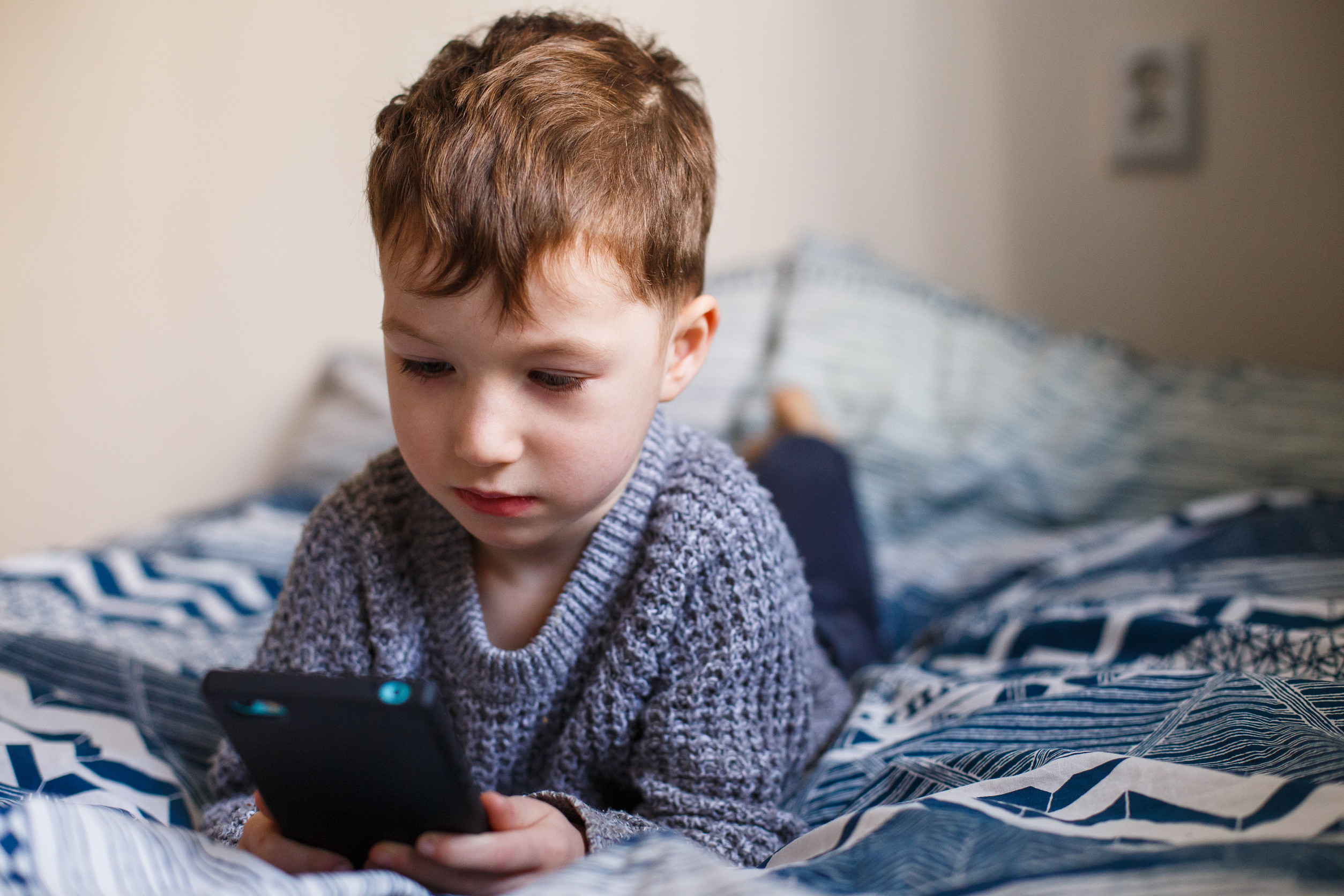
Cyberbullying doesn’t always leave bruises or visible scars, but the emotional damage it causes can run deep—and often goes unnoticed. Kids may feel ashamed, scared, or unsure of how to talk about what’s happening, especially when the bullying comes through devices they use every day. As a parent, knowing the warning signs your child is being cyberbullied can make all the difference in catching it early and stepping in with the right support. This is about more than mean comments online; it’s about protecting your child’s mental health, sense of safety, and overall well-being. Here are nine signs every parent should be watching for.

1. Sudden Avoidance of Devices

If your child used to love being on their phone or tablet but suddenly wants nothing to do with it, it’s a red flag worth exploring. Many kids will shut down or hide their screens to avoid seeing hurtful messages or posts. This behavior shift might seem like maturity or boredom at first, but it could signal that online activity has turned toxic. Experts say this is one of the most common early signs that your child is being cyberbullied. A quiet retreat from tech may be their way of escaping the harassment.

2. Emotional Outbursts After Screen Time

Pay attention to your child’s mood immediately after using their device. If they seem anxious, irritable, tearful, or angry right after being online, something may be happening in their digital world that’s upsetting them. These emotional swings might not be connected to anything happening at home or school in person. It could be the result of mean texts, exclusion from group chats, or public embarrassment online. Sudden emotional reactions after screen time are subtle but serious signs your child is being cyberbullied.

3. Changes in Sleep or Appetite

Cyberbullying can lead to emotional stress that shows up physically. If your child is having trouble sleeping, waking up at odd hours, or experiencing nightmares, it may be linked to something happening online. Similarly, a sudden loss of appetite or emotional eating can be a sign they’re trying to cope with something difficult. These shifts may look like normal teen changes, but they could be signs your child is being cyberbullied if combined with other behaviors. Always look at the full picture rather than brushing off these changes.

4. Reluctance to Go to School or Social Events

Even though cyberbullying happens online, it often spills over into real life. If your child starts making excuses to avoid school, clubs, or hanging out with friends, they may be trying to escape people involved in the bullying. Kids who are targeted online often fear additional humiliation or confrontation in person. Watch for sudden avoidance of favorite activities or places. This kind of withdrawal is a key indicator that something bigger may be going on.

5. Secretive Behavior About Online Activity

While some privacy is normal, especially for preteens and teens, extreme secrecy about what they’re doing online is a cause for concern. If your child closes windows quickly when you walk by, deletes messages, or refuses to talk about their online life, don’t ignore it. These behaviors may be efforts to hide harassment or shield you from worrying. This kind of secrecy is one of the most telling signs your child is being cyberbullied. Gentle, non-judgmental conversations can help uncover what’s really going on.

6. Drop in Grades or School Participation

When kids are consumed with the emotional toll of cyberbullying, school often takes a backseat. A sudden drop in grades, skipped homework, or decreased participation can signal distress that goes beyond academics. Teachers might notice your child is distracted, withdrawn, or even acting out in class. If you hear feedback from school that doesn’t match your child’s usual performance, consider that online harassment may be playing a role. It’s one of the more overlooked signs your child is being cyberbullied, but it matters just as much.

7. Sudden Loss of Friends or Social Circles

Cyberbullying often involves group dynamics—kids being kicked out of chats, unfollowed en masse, or gossiped about online. If your child is suddenly on the outside of a group they were once close to, it could point to social targeting or exclusion. They might not want to talk about it out of embarrassment or fear of being seen as dramatic. Monitor shifts in their friendships and check in about how those relationships feel. Losing connections is emotionally painful and a common result of online bullying.

8. Physical Complaints Without Clear Cause

Cyberbullying stress can show up through physical symptoms like headaches, stomachaches, or general fatigue. If your child is making frequent health complaints but there’s no medical explanation, emotional stress could be the root. These symptoms often appear before the emotional signs are clear. Don’t dismiss them as fake or overblown—your child may not know how to talk about what’s really bothering them. When paired with other red flags, these physical symptoms can be strong signs that your child is being cyberbullied.

9. Changes in Self-Esteem or Language

Listen closely to how your child talks about themselves. If they start putting themselves down, using self-deprecating humor, or making comments about being hated or worthless, they may be internalizing cyberbullying messages. This emotional toll can lead to long-term damage if not addressed. Kids often mirror the cruel words they see or hear online, especially if they feel isolated. A sudden dip in self-confidence is one of the most heartbreaking signs your child is being cyberbullied—and one of the most important to catch early.

Trust Starts with Listening

Catching the signs your child is being cyberbullied doesn’t mean hovering or invading their privacy. It means staying present, asking the right questions, and creating a safe space for them to open up. Kids are less likely to talk if they fear punishment, so lead with support and empathy. Let them know you’re on their team and that they’re never alone when facing tough situations online. In a world where digital cruelty can feel invisible, your listening ear might be the thing that makes the biggest difference.

What warning signs do you look for when it comes to your child’s online safety? Share your insights and tips in the comments below!

Read More:

When Parents Give Up: 9 Warning Signs You’ve Checked Out Too Soon

8 Parenting Trends That Sound Great (But Might Be Hurting Your Kids)

Catherine Reed
Catherine Reed

Catherine is a tech-savvy writer who has focused on the personal finance space for more than eight years. She has a Bachelor’s in Information Technology and enjoys showcasing how tech can simplify everyday personal finance tasks like budgeting, spending tracking, and planning for the future. Additionally, she’s explored the ins and outs of the world of side hustles and loves to share what she’s learned along the way. When she’s not working, you can find her relaxing at home in the Pacific Northwest with her two cats or enjoying a cup of coffee at her neighborhood cafe.
Filed Under: Parenting Tagged With: cyberbullying awareness, digital safety, emotional well-being, internet safety for kids, kids online, Mental Health, parenting support, parenting tips, signs your child is being cyberbullied

Are You Underestimating? 9 Privacy Settings For Kids’ Devices To Change Immediately

July 25, 2025 | Leave a Comment

Are You Underestimating 9 Privacy Settings For Kids Devices To Change Immediately
Image source: 123rf.com

Today’s kids are growing up in a world where devices are as common as backpacks and lunchboxes. While technology offers amazing educational and entertainment tools, it also opens doors to privacy risks that most parents aren’t even aware of. Apps, games, smart speakers, and tablets often collect far more personal data than they should—sometimes without clear consent. If your child uses any connected device, taking a few minutes to adjust the default privacy settings can make a huge difference in protecting their information. Here are nine privacy settings for kids’ devices that every parent should change right now.

1. Turn Off Location Sharing

Many devices and apps come with location tracking enabled by default, which means your child’s movements can be logged and shared. While some location services are helpful (like finding a lost phone), others pose real risks when left open to games, social platforms, or unknown apps. Disabling this feature for non-essential apps protects your child’s real-time location from being accessed or shared with strangers. You can usually manage this under “Privacy” or “Location Services” in device settings. Be sure to double-check after installing new apps, as permissions may reset.

2. Disable Microphone Access for Unused Apps

Some apps ask for microphone access even if they have no clear reason to use it. This can leave your child’s device vulnerable to passive audio collection, including background conversations. Review all installed apps and toggle off microphone permissions unless it’s a voice-based feature your child regularly uses. This is especially important for games, camera apps, or lesser-known apps downloaded for fun. Reducing mic access limits data collection and helps prevent unintentional eavesdropping.

3. Block Access to the Camera When Not Needed

Apps that use augmented reality or selfies may request access to your device’s camera. While it may seem harmless, leaving the camera available gives certain apps a direct visual channel into your child’s surroundings. Go into settings and disable camera access for any app that doesn’t need it for core functions. You can always re-enable it temporarily if needed. This is one of the simplest privacy settings for kids’ devices that can prevent serious breaches.

4. Adjust App Store and Download Permissions

Kids can accidentally (or intentionally) download apps that bypass parental controls or pose security risks. Limiting access to downloads or requiring approval before installation gives you control over what enters the device. On Apple devices, this can be set under “Screen Time” restrictions; Android users can do this through the Google Family Link app. Always check the app’s privacy policy and reviews before approving. Even popular games can hide aggressive data collection in the fine print.

5. Turn Off Ad Personalization

Ad personalization uses your child’s activity to serve targeted ads, which may seem innocent but can lead to deep data profiling over time. Most platforms, including Apple, Google, and Amazon, allow you to turn off this feature in the privacy settings. Doing so reduces the amount of information shared with third-party advertisers and limits how your child is tracked online. It’s one of the easiest privacy settings for kids’ devices to overlook but also one of the most important. Less data sharing means less risk.

6. Restrict Social Media Privacy Settings

If your child is using social platforms, double-check the default privacy settings, which often lean toward public visibility. Set profiles to private, restrict who can send friend requests or messages, and disable tagging where possible. Also limit location tagging and face recognition features, which are often turned on by default. Encourage your child to think before sharing personal photos, videos, or location details. Regular conversations about online behavior reinforce the importance of these choices.

7. Disable Auto-Connect to Wi-Fi Networks

Many devices are set to automatically connect to open Wi-Fi networks, which can put your child’s data at risk on unprotected or malicious networks. Go into your child’s device settings and turn off the auto-connect feature. Teach them to ask you before joining a new network, especially in public places like coffee shops, airports, or parks. Using only secure, password-protected connections helps avoid potential hackers or data theft. A VPN may also be worth considering for added safety.

8. Block In-App Purchases

In-app purchases are a financial hazard, but they also often come bundled with permissions that open access to stored data or contacts. Setting a passcode or biometric ID requirement for purchases helps prevent accidental buys and keeps privacy intact. Some apps sneak in permissions through purchase prompts, so keeping this locked down reduces exposure. Both iOS and Android offer easy toggles to disable or restrict in-app purchasing. It’s one more way to keep control of your child’s device and data.

9. Review Permissions Every Month

Even if you set everything up once, updates or new downloads can override previous settings. Get into the habit of reviewing your child’s privacy settings monthly to make sure nothing has changed without your knowledge. Devices often add new features or request additional access during updates. A quick scan of camera, mic, location, and app permissions can catch anything new. Making it a routine ensures privacy settings for kids’ devices stay secure over time.

Small Tweaks, Big Peace of Mind

Keeping your kids safe online starts with the privacy settings most people forget to change. These small tweaks don’t take much time but offer big protection against hidden risks. From limiting data collection to stopping strangers from seeing where your child is or what they’re doing, each setting makes your family’s tech use smarter and safer. The digital world is always changing but staying informed gives you a real edge. Don’t wait for something to go wrong—lock down these settings today.

Have you found any surprising privacy settings on your child’s device? Share your experience or tips in the comments below!

Read More:

12 Steps to Secure Your Child’s Digital Footprint for Life

11 Online Safety Risks Your Preschooler Faces

Catherine Reed
Catherine Reed

Catherine is a tech-savvy writer who has focused on the personal finance space for more than eight years. She has a Bachelor’s in Information Technology and enjoys showcasing how tech can simplify everyday personal finance tasks like budgeting, spending tracking, and planning for the future. Additionally, she’s explored the ins and outs of the world of side hustles and loves to share what she’s learned along the way. When she’s not working, you can find her relaxing at home in the Pacific Northwest with her two cats or enjoying a cup of coffee at her neighborhood cafe.

Filed Under: Parenting Tagged With: child tech safety, device settings, digital privacy, family tech, internet safety for kids, Online Safety, parenting tips, privacy settings for kids' devices

The Truth About Screens: 9 Apps Your Kids Use That Secretly Collect Data

July 22, 2025 | Leave a Comment

The Truth About Screens 9 Apps Your Kids Use That Secretly Collect Data
Image source: 123rf.com

You’ve probably checked for age ratings, double-checked screen time limits, and made sure your child isn’t exposed to inappropriate content. But there’s a hidden digital threat that flies under most parents’ radar—apps your kids use that secretly collect data. Even harmless-looking games, learning platforms, or creative apps can gather personal information like location, device habits, browsing behavior, or even voice recordings. What’s worse is that this data is often sold, shared, or stored without your knowledge, sometimes violating privacy laws meant to protect children. Here are 9 popular apps parents trust—but should definitely look into more closely.

1. TikTok

While officially recommended for users 13 and older, many younger kids still find their way onto TikTok. The app has faced multiple investigations and fines for tracking user data, including information from minors. Among apps your kids use that secretly collect data, TikTok is a top offender due to how it tracks usage habits, device identifiers, and even location information. Even in “private” mode, the app gathers metadata from video views and interactions. Parents should explore TikTok’s Family Pairing options or consider alternatives with more transparent data practices.

2. YouTube and YouTube Kids

YouTube Kids was created to offer a safer space for young viewers, but that doesn’t mean it’s free from data collection. The platform has been accused of collecting viewing history and device info, even when parental controls are on. For many families, this is one of the most trusted apps your kids use that secretly collect data, simply because it feels child-friendly on the surface. Keep in mind that any personalized recommendations come from data tracking, which may include search terms and watch behavior. Consider using ad-free options or limiting permissions in your child’s profile settings.

3. Roblox

Roblox is wildly popular for its games, avatars, and in-game purchases—but it also collects a lot of data. This includes chat history, location data, friends lists, and how your child interacts within the game. Like many apps your kids use that secretly collect data, it runs targeted ads and stores behavioral profiles to better monetize user activity. While it offers parental controls, it still tracks a surprising amount of behind-the-scenes data. Regularly review your child’s privacy settings and use a restricted account whenever possible.

4. Snapchat

Snapchat is often used by tweens and teens, despite being labeled 13+. The app is known for its disappearing messages, but that doesn’t mean your child’s data disappears with them. Snapchat collects contact lists, device identifiers, usage data, and even geolocation, especially if Snap Map is enabled. It’s one of those apps your kids use that secretly collect data even when they aren’t actively posting. Disable Snap Map, turn off location services, and have a conversation with your child about privacy before allowing use.

5. Zoom

Now commonly used for virtual school or chats with family, Zoom might not strike you as a data risk. But like other platforms, it collects usage logs, device information, and meeting metadata—sometimes more than you realize. For younger users, Zoom’s data handling has faced criticism, especially in education settings where consent isn’t always clearly outlined. Among apps your kids use that secretly collect data, Zoom’s presence in classrooms means parents should understand what’s shared and what’s optional. Check your child’s school settings or personal account privacy policy to see what data is being stored.

6. Duolingo

This popular language-learning app is educational, engaging, and surprisingly aggressive with its data tracking. Duolingo collects device info, user behavior, and performance analytics. While not as flashy as other apps your kids use that secretly collect data, it quietly builds user profiles to improve engagement and advertising. Even if your child is learning French or Spanish, the app may be learning more about them than you’d like. Be sure to review data-sharing permissions in the account settings and avoid logging in with social media accounts.

7. Minecraft (Mobile Version)

Minecraft on mobile devices, especially the Bedrock Edition, is connected to Microsoft accounts and comes with data collection tied to Xbox services. It tracks user activity, session lengths, and online interactions—even in creative mode. Though it’s not malicious, Minecraft remains one of the apps your kids use that secretly collect data, particularly through in-game purchases and online play. Parents should explore Family Safety tools in Microsoft’s dashboard and limit multiplayer access for younger players.

8. Facebook Messenger Kids

Facebook (now Meta) created Messenger Kids as a safer alternative to adult messaging platforms, but data concerns remain. While it’s promoted as COPPA-compliant, the app still gathers usage data, contacts, and interaction metrics. Among apps your kids use that secretly collect data, this one raises eyebrows simply because of its ties to Meta’s larger advertising ecosystem. Although it offers some strong parental controls, be mindful of what’s shared and how it’s stored. Monitor conversations regularly and avoid linking accounts that could expose more family data.

9. Candy Crush and Other “Free” Games

Many free-to-play games, including Candy Crush and similar titles, rely heavily on third-party advertising networks. These games track in-app behavior, device IDs, and location in order to serve personalized ads. Since they’re marketed as harmless and fun, they fall into the category of apps your kids use that secretly collect data without most parents noticing. Avoid logging in with a social media account, decline ad tracking permissions, and keep the games in guest mode when possible.

Knowledge is the Best Parental Control

When it comes to screen time, the real risk isn’t always what your child is watching—it’s what the app is watching them. Many apps your kids use that secretly collect data hide behind colorful graphics and educational content, but still gather information that can be used, shared, or sold. As a parent, you don’t have to avoid screens altogether—you just need to be a little more data-aware. Reviewing app permissions, checking privacy settings, and reading the fine print are small steps that make a big difference in your child’s digital safety.

Were you surprised by how much data these apps collect? Which ones do you monitor or avoid at home? Let’s talk privacy in the comments.

Read More:

6 Legal Protections for Your Child’s Digital Footprint

8 Privacy Concerns with Kids’ Wearables Tracking Them

Catherine Reed
Catherine Reed

Catherine is a tech-savvy writer who has focused on the personal finance space for more than eight years. She has a Bachelor’s in Information Technology and enjoys showcasing how tech can simplify everyday personal finance tasks like budgeting, spending tracking, and planning for the future. Additionally, she’s explored the ins and outs of the world of side hustles and loves to share what she’s learned along the way. When she’s not working, you can find her relaxing at home in the Pacific Northwest with her two cats or enjoying a cup of coffee at her neighborhood cafe.

Filed Under: Parenting Tagged With: app safety, apps your kids use that secretly collect data, child online privacy, data collection in apps, digital parenting, internet safety for kids, kids and tech, screen time safety

Preschooler Risk: 11 Online Safety Risks Your Preschooler Faces

July 17, 2025 | Leave a Comment

Preschooler Risk 11 Online Safety Risks Your Preschooler Faces
Image source: 123rf.com

Preschoolers might be tiny, but they’re already interacting with technology in big ways—watching videos, playing games, and even chatting with smart toys. While the internet offers entertainment and education, it also opens the door to threats many parents don’t realize apply to such young users. The reality is, preschooler risk in the digital world is growing, and it’s often hiding in plain sight. From sneaky ads to data collection, your child could be exposed to serious risks without ever typing a single word. Here are 11 online safety concerns every parent of a preschooler should know about—and how to stay one step ahead.

1. Inappropriate Video Content on “Kid” Platforms

Even on platforms labeled kid-friendly, inappropriate content can slip through the cracks. Auto-play features may lead a curious preschooler from a sweet cartoon to something violent or frightening. This preschooler risk is often underestimated, but algorithms don’t always get it right. Always preview content, use strong parental controls, and disable auto-play when possible. Supervision matters just as much as the device settings.

2. Unfiltered Ads in Free Apps

Many free apps your child enjoys are funded by ads that aren’t always age-appropriate. These ads can promote violent games, weight loss products, or other adult content. Since preschoolers can’t distinguish between entertainment and advertising, they may click on risky links without realizing it. This preschooler risk grows when ads aren’t reviewed or regulated well by developers. Opt for ad-free apps or upgrade to paid versions when available.

3. Accidental In-App Purchases

With just a few taps, preschoolers can make real purchases without understanding what they’re doing. Many games include bright, flashy icons designed to encourage spending. Even if the purchase seems small, it adds up fast and can expose financial information. This preschooler risk is one of the most common tech-related parenting headaches. Always disable in-app purchases or enable password protection before handing over a device.

4. Smart Toys That Record Conversations

Toys with microphones or internet connectivity might seem fun, but they also present serious privacy issues. Some smart toys listen constantly or record and store what your child says. This preschooler risk may result in private information being shared with third parties or vulnerable to hacking. Check toy privacy policies and avoid internet-connected gadgets when possible. Unplug or power off toys when not in use.

5. Data Tracking by Children’s Apps

Many children’s apps collect data about user behavior, even when they claim to be safe for kids. This includes location, usage habits, and sometimes voice or video recordings. Preschoolers don’t know what they’re sharing, and many parents are unaware it’s happening. This preschooler risk could lead to long-term privacy issues and targeted marketing. Stick with apps from reputable sources and review permissions carefully.

6. Exposure to Scary or Confusing Content

Cartoons with dark themes, sound effects, or sudden jump scares can upset sensitive young viewers. Because preschoolers process emotions differently, something that seems harmless to adults can trigger fear or anxiety. This preschooler risk affects sleep, mood, and even behavior. Curate a playlist of known, calming content instead of letting your child browse. Watch with them when possible to guide reactions and offer reassurance.

7. Chat Features in Games and Apps

Some preschool games include unexpected chat features or message boards, putting children at risk of interacting with strangers. Even if the platform claims to be moderated, no filter is perfect. A preschooler might respond to messages or share personal information without understanding the danger. This preschooler risk calls for extra caution with multiplayer or social games. Disable chat functions and prioritize solo-play experiences for young users.

8. Clicking on Fake “X” Buttons

Preschoolers can easily mistake pop-ups or ads for part of their game and end up clicking into new sites. Many of these designs are intentionally misleading, with fake “X” buttons or confusing language. This preschooler risk can expose them to malware, scams, or inappropriate websites. Using secure browsers or child-specific platforms helps reduce the risk. Teach kids to come get you if something unexpected pops up.

9. Watching Videos Without Time Limits

Unlimited screen time, especially with stimulating or fast-paced videos, can affect a preschooler’s behavior, attention span, language development, and sleep patterns. It may also lead to emotional meltdowns when it’s time to turn it off. This preschooler risk is often overlooked until habits are hard to break. Use timers, set boundaries early, and encourage screen breaks with physical play. The earlier the limits are established, the easier they are to follow.

10. Learning the Wrong Language or Behavior

Preschoolers mimic everything they see and hear—including phrases, jokes, and attitudes from online characters. Not all child-targeted content is created equal, and some shows include rude or aggressive behavior. This preschooler risk can subtly shape how your child interacts with others. Choose content that model’s kindness, problem-solving, and respectful communication. When you see bad behavior, talk it through and offer a better example.

11. Thinking Everything Online is “Real”

At this age, kids are just beginning to understand what’s real and what’s pretend. Online characters, product promotions, and even misinformation can be taken at face value. This preschooler risk makes it important to teach critical thinking early. Use simple language to explain what’s “just pretend” or “just trying to sell something.” Encouraging questions builds digital awareness—even for little ones.

Online Safety Starts Before They Can Read

The internet doesn’t wait for kids to grow up, which means preschooler risk is very real—even if your child is just playing with shapes and colors. But with a few precautions, your child can enjoy technology without falling into danger zones. The key is not just using parental controls, but also staying present, informed, and curious about what your child is doing online. Early lessons in digital safety lay the groundwork for a healthier relationship with technology as they grow.

Which preschooler risk surprised you the most? Share your thoughts and safety tips in the comments!

Read More:

6 Urgent Safety Checks for Baby Gear

10 Places Your Kids Shouldn’t Be Left Alone (Even If They Beg You To)

Catherine Reed
Catherine Reed

Catherine is a tech-savvy writer who has focused on the personal finance space for more than eight years. She has a Bachelor’s in Information Technology and enjoys showcasing how tech can simplify everyday personal finance tasks like budgeting, spending tracking, and planning for the future. Additionally, she’s explored the ins and outs of the world of side hustles and loves to share what she’s learned along the way. When she’s not working, you can find her relaxing at home in the Pacific Northwest with her two cats or enjoying a cup of coffee at her neighborhood cafe.

Filed Under: Parenting Tagged With: child online safety, internet safety for kids, kids internet safety, parenting and technology, preschool digital safety, preschooler risk, screen time tips

Digital Legacy: 6 Legal Protections for Your Child’s Digital Footprint

July 12, 2025 | Leave a Comment

Digital Legacy 6 Legal Protections for Your Childs Digital Footprint
123rf.com

From baby photos shared on social media to school projects uploaded to cloud storage, your child’s digital footprint starts building long before they understand what it is. And as their online presence grows, so does the potential for misuse, identity theft, or long-term consequences tied to information they never consented to share. The digital world is fast-moving, but there are important legal protections in place designed to help you manage your child’s data and safeguard their future. By understanding these rights and how to use them, you can take action now to protect their digital identity down the road. Here are six key legal protections that give you more control over your child’s digital footprint and peace of mind in a data-driven world.

1. The Children’s Online Privacy Protection Act (COPPA)

COPPA is one of the most important federal laws when it comes to protecting a child’s digital footprint. It requires websites, apps, and online services to obtain verifiable parental consent before collecting personal information from kids under 13. This law also limits what data can be collected, how it can be used, and mandates that companies provide a clear privacy policy. If a site or app violates COPPA, the Federal Trade Commission (FTC) can take legal action against it. As a parent, you can use COPPA to request data deletion and restrict certain online activities to reduce your child’s exposure.

2. The Family Educational Rights and Privacy Act (FERPA)

FERPA governs how schools handle your child’s educational records, including any digital information stored or shared electronically. Schools must have written permission before disclosing personally identifiable information to third parties, which includes tech vendors used in online learning platforms. FERPA gives parents the right to inspect, review, and request corrections to their child’s records. If you suspect your child’s data is being mishandled, you can file a complaint with the U.S. Department of Education. This law plays a crucial role in limiting who can access and use your child’s academic digital footprint.

3. State-Level Student Data Privacy Laws

Many states have passed additional laws that offer even stronger protection than federal regulations when it comes to student data privacy. These laws may require that tech companies delete student information after a set period, ban targeted advertising, or prevent data sales altogether. Some states also give parents more detailed rights to opt out of certain data-sharing practices in public schools. Check with your state’s Department of Education or attorney general’s office to see what specific protections are in place. These localized rules help you control how your child’s digital footprint is handled on a state level.

4. The Right to Be Forgotten (International and Emerging Policies)

The “right to be forgotten” is a legal concept allowing individuals to request the deletion of their personal data from online platforms. While this right is more established in the European Union under the General Data Protection Regulation (GDPR), it’s starting to gain traction in some parts of the United States. This concept can help children and teens remove outdated or unwanted online content that may follow them into adulthood. While not yet fully implemented across the U.S., it’s a growing area of digital rights parents should watch. Advocating for similar protections can help shape how your child’s digital footprint is treated in the future.

5. Biometric Data Laws

Some schools and platforms now use biometric data like facial recognition, fingerprints, or voice recordings to identify students or enhance security. However, several states—including Illinois, Texas, and California—have strict laws requiring consent before collecting or storing this sensitive information. Parents have the right to know how their child’s biometric data is being used and to opt out of programs that rely on it. These laws are particularly important since biometric data can’t be changed like a password if it’s compromised. Keeping tabs on biometric use helps ensure your child’s digital footprint includes only what’s necessary and safe.

6. Data Breach Notification Laws

If your child’s personal information is ever exposed in a data breach, state laws require schools, healthcare providers, and other organizations to notify you promptly. These laws often include timelines for notification and may require companies to offer credit monitoring or identity theft protection. Knowing about a breach quickly allows you to act fast to protect your child’s identity. Parents should ask what data protection policies are in place at any institution collecting their child’s information. These legal protections ensure that you’re not left in the dark if your child’s digital footprint is ever compromised.

Building a Smarter Digital Future for Your Kids

You don’t have to be a tech expert to take charge of your child’s digital footprint. By understanding these six legal protections, you’re better equipped to ask the right questions, push back when needed, and make informed choices about your child’s online exposure. Laws alone won’t cover every scenario, but they do give you the power to advocate and take action. As your child grows, teaching them about their rights and digital responsibilities will help them make smarter, safer choices, too. After all, the best way to protect your child’s future is to start with the digital legacy they’re building today.

What steps have you taken to protect your child’s digital footprint? Have you had to lean on any of these legal protections? Share your thoughts in the comments.

Read More:

Your Child’s Digital Mistake Could Destroy Their (and Your) Future

The Great Digital Debate: How Much Screen Time Is Really Okay for Kids Now

Catherine Reed
Catherine Reed

Catherine is a tech-savvy writer who has focused on the personal finance space for more than eight years. She has a Bachelor’s in Information Technology and enjoys showcasing how tech can simplify everyday personal finance tasks like budgeting, spending tracking, and planning for the future. Additionally, she’s explored the ins and outs of the world of side hustles and loves to share what she’s learned along the way. When she’s not working, you can find her relaxing at home in the Pacific Northwest with her two cats or enjoying a cup of coffee at her neighborhood cafe.

Filed Under: Parenting Tagged With: child online privacy, COPPA, digital footprint, digital legacy, internet safety for kids, kids digital safety, parenting tech tips, student data privacy

Phishing Risk: 7 Ways Your Child’s Identity Is Phished Online

July 10, 2025 | Leave a Comment

Phishing Risk 7 Ways Your Childs Identity Is Phished Online
123rf.com

You may be watching your child’s screen time, but are you watching who’s watching them? Identity thieves increasingly target kids, knowing parents may not check their credit for years. By the time it’s discovered, the damage is done—and untangling it can be a financial nightmare. Knowing how your child’s identity is phished online can help you protect them before their personal information is stolen and misused. A few small changes in your child’s digital habits can make a major difference in keeping their identity safe.

1. Fake Contests and Freebies

Kids love winning things, and scammers know it. Online forms offering free gift cards, toys, or gaming gear often ask for personal details like full names, addresses, or even Social Security numbers. These “prizes” are bait for stealing information under the guise of fun. Young users don’t always know what’s safe to share and may fill out forms without realizing the risk. Talk to your child about never entering contests online without checking with an adult first.

2. Gaming Platforms and In-Game Chats

Many popular gaming platforms allow direct messaging, friend requests, and even voice chats, making them perfect hunting grounds for cybercriminals. Posing as other kids, phishers may ask for names, school info, or answers to “fun” security-question-style games. This is one of the most overlooked ways your child’s identity is phished online because it feels like part of the game. Encourage kids to avoid sharing personal information with anyone they don’t know in real life. You can also enable parental controls to limit chat and friend features.

3. Downloading Sketchy Apps or Add-ons

Some apps marketed to kids hide phishing schemes behind flashy games or colorful interfaces. Once downloaded, these apps may ask for unnecessary permissions or trick kids into typing in personal details. Worse, they can collect background data like location, contacts, or usage behavior. Review apps together before installation and stick to trusted app stores with solid ratings and reviews. Teaching kids to be cautious about downloads helps cut off another path where your child’s identity is phished online.

4. Social Media “Quizzes” and Trends

You’ve probably seen those viral quizzes that ask fun questions like your first pet’s name or the street you grew up on. While they seem innocent, they’re often built to harvest answers that mimic security questions used for password recovery. If your child joins in and shares personal answers on a public account, their identity becomes easier to steal. Teach your child to treat social media like a digital billboard and avoid oversharing. Even better—make sure their accounts are private and monitored.

5. Fake School or Homework Sites

Hackers know that kids search for homework help and learning games, which is why they create spoofed education websites that look real. These sites often prompt users to sign up with email addresses, passwords, or student IDs. Once entered, that info can be used to break into school records or even other accounts linked to the same login. Always double-check the URLs your child is using and bookmark trusted school websites for easy access. Knowing where they go for homework can stop one of the ways your child’s identity is phished online.

6. Email or Messaging Scams Targeted at Kids

Kids now have email addresses and messaging apps for school, clubs, and games. Scammers send fake messages pretending to be teachers, coaches, or even online friends, asking for login details or links to malicious websites. Because these messages seem friendly and familiar, kids are more likely to click without thinking. Let your child know that any message asking for passwords or private info should always be shown to an adult first. Set up filters and teach your child to spot suspicious signs, like bad grammar or weird links.

7. Data Breaches from Kids’ Apps and Services

Even if your child doesn’t give out their information directly, companies can still lose it. Kids’ services, apps, and even toy websites have been involved in data breaches, exposing sensitive info to hackers. Once leaked, that information can be used in phishing attacks across platforms. Keep track of which apps or services your child uses and check if they’ve ever been part of a data breach. You can also use monitoring tools to keep an eye on whether your child’s data shows up on the dark web.

The Best Defense Is Early Awareness

Understanding how your child’s identity is phished online is the first step to stopping it. These tactics are getting more advanced and more subtle—but so can your prevention strategies. You don’t need to hover over every click, just teach your child how to think critically online and involve them in digital safety conversations. With the right tools and boundaries in place, your child can enjoy the internet without becoming a target. Smart, safe browsing habits start at home and last a lifetime.

Have you ever caught a phishing attempt aimed at your child? Share your experience and what helped you stop it in the comments below!

Read More:

Privacy Violation: 7 Things Never to Post About Your Kids Online

Bypass Alert: 9 Online Threats That Bypass Parental Controls

Catherine Reed
Catherine Reed

Catherine is a tech-savvy writer who has focused on the personal finance space for more than eight years. She has a Bachelor’s in Information Technology and enjoys showcasing how tech can simplify everyday personal finance tasks like budgeting, spending tracking, and planning for the future. Additionally, she’s explored the ins and outs of the world of side hustles and loves to share what she’s learned along the way. When she’s not working, you can find her relaxing at home in the Pacific Northwest with her two cats or enjoying a cup of coffee at her neighborhood cafe.

Filed Under: Parenting Tagged With: child identity theft, cyber parenting, digital safety, internet safety for kids, online security, parenting tips, phishing scams, protecting kids online

  • Facebook
  • Pinterest
  • RSS
  • Twitter

Basic Principles Of Good Parenting

Here some basic principles for good parenting:

  1. What You Do Matters: Your kids are watching you. So, be purposeful about what you want to accomplish.
  2. You Can’t be Too Loving: Don’t replace love with material possessions, lowered expectations or leniency.
  3. Be Involved Your Kids Life: Arrange your priorities to focus on what your kid’s needs. Be there mentally and physically.
  4. Adapt Your Parenting: Children grow quickly, so keep pace with your child’s development.
  5. Establish and Set Rules: The rules you set for children will establish the rules they set for themselves later.  Avoid harsh discipline and be consistent.
  6. Explain Your Decisions: What is obvious to you may not be evident to your child. They don’t have the experience you do.
  7. Be Respectful To Your Child: How you treat your child is how they will treat others.  Be polite, respectful and make an effort to pay attention.
Best Parenting Blogs

Most Popular

Baby

9 Unusual Baby Names That Sound Like They Belong to Future CEOs

Evan Morgan
Baby

10 Baby Names That Were Once Considered “Grandparent Names” but Feel Cool Again

Evan Morgan
Target Store

Choking Incident Prompts Recall of 49,000 Target Gigglescape “Under the Sea” Popping Toys

Evan Morgan
Frustrated Girl

Why Some Students on the Spectrum Are Labeled With ODD

Evan Morgan
Coke Bottles

12 Things Kids Took to School in the ’70s That Would Never Be Allowed Today

Evan Morgan

All content on Kids Ain’t Cheap is for entertainment purposes only. By reading this blog, you agree that Kids Ain’t Cheap is not responsible for any actions taken after reading this blog. For the full disclaimer, see our privacy policy.

Please note that Kids Ain’t Cheap has financial relationships with some of the merchants mentioned here. Kids Ain’t Cheap is funded by banner advertising, commission sales and search optimization consulting.

Copyright © 2006–2026 | District Media | All Rights Reserved | Privacy Policy

Copyright © 2026 Runway Pro Theme by Viva la Violette