
• Home
  • About Us
  • Toolkit
  • Archives
  • Advertise
  • Privacy Policy

Kids Ain't Cheap

But They Sure Are Worth It

  • Parenting
    • Baby Stuff
    • Books and Reading
      • Aesops Fables
      • Comic Books
    • Education
    • Family Time
    • Green Living
    • Growing Up
    • Healthy Living & Eating
    • Holidays
    • Parenting
    • Random Musings
    • Shopping
    • Stuff to Do
  • Money
  • Product Reviews
    • Books and Magazines
    • Discount Sites
    • Furniture
    • House Keeping
    • Reviews News
    • Toys and Games
  • Contact Us
  • Our Editorial Commitment
  • Search

Social Media Use: 7 Ways Your Child’s Social Media Is Used Against Them

July 19, 2025 | Leave a Comment

Social Media Use 7 Ways Your Childs Social Media Is Used Against Them
Image source: 123rf.com

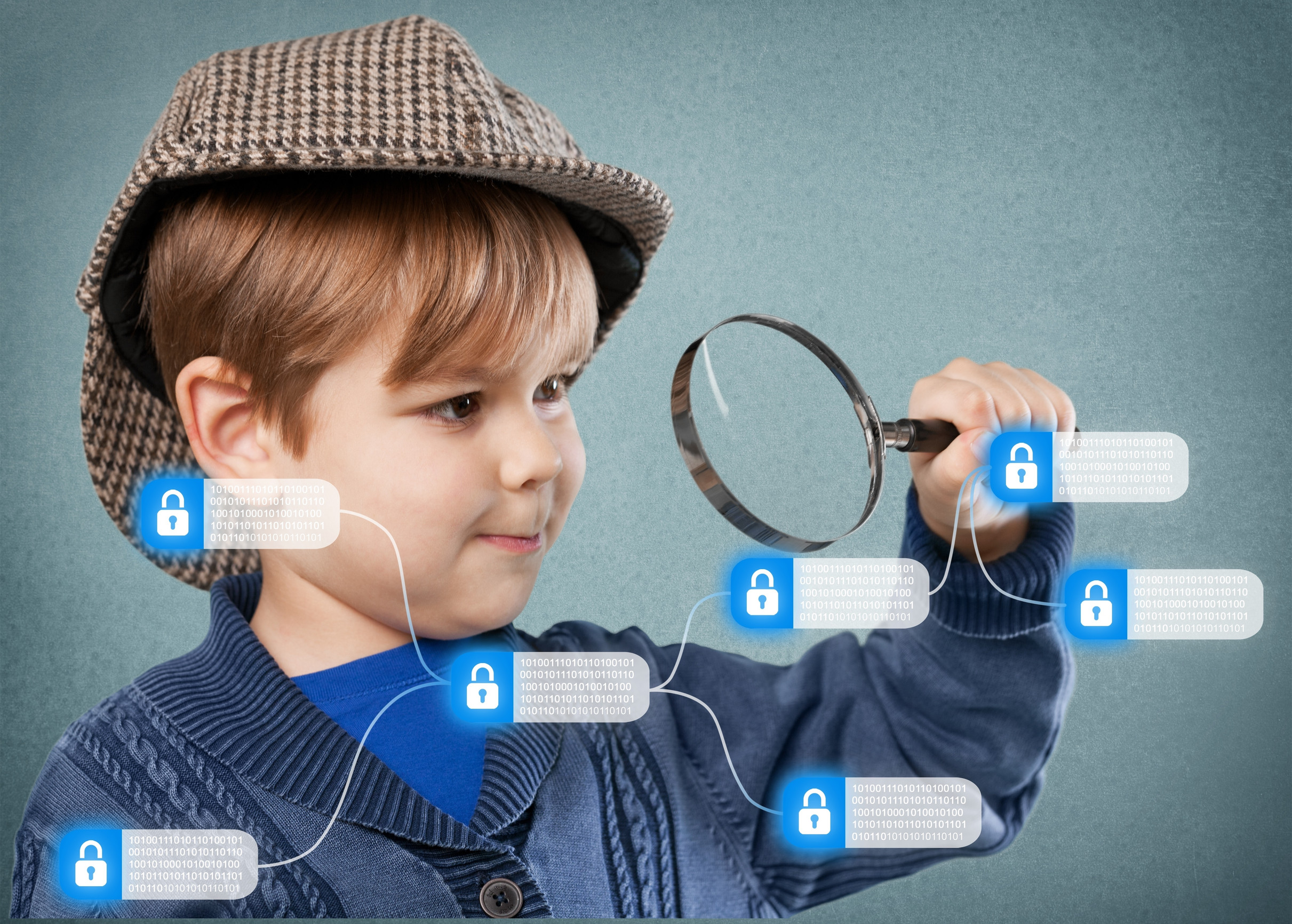
Your child might see social media as a fun way to connect with friends and explore new interests, but behind the scenes, it can be a powerful tool used against them. Social media use leaves a digital footprint that is often exploited in ways kids and even parents don’t realize. From strangers collecting personal data to bullies digging up posts for attacks, a child’s online activity can easily be turned into a weapon. And once something is out there, it’s almost impossible to erase. Here are seven critical ways your child’s social media use can be used against them—and how to protect them from the risks.

1. Online Predators Use Posts to Build a Profile

Child predators aren’t just lurking in chat rooms—they’re combing through social media use to learn names, locations, interests, and routines. A simple selfie at the park or a school event can reveal a child’s daily schedule, favorite hangouts, and even which adult is supervising them. These details help predators groom kids by pretending to share common interests or using personal facts to earn trust. The more your child posts, the easier it is for someone to build a digital profile. Teaching kids to limit what they share publicly is a powerful first step toward staying safe.

2. Bullies Screenshot and Reshare Posts Out of Context

A joke, a filtered photo, or even an old post can be taken, cropped, and used as ammo for bullying. Social media use gives bullies a 24/7 platform to screenshot content and spin it to embarrass or isolate a child. Because digital bullying happens outside of school hours, many kids don’t report it, and the damage can escalate quickly. Content shared in a moment of fun can suddenly be used to shame or humiliate. Encourage your child to think before they post and to keep personal matters off public feeds.

3. Personal Info Can Be Sold or Stolen

Many social platforms collect data that can be sold to third parties, even when your child is underage. Their preferences, contacts, search history, and even messages may be tracked and shared with marketers or worse. In some cases, identity thieves target minors specifically because their credit is clean and unmonitored. Social media use becomes a vulnerability when platforms don’t strictly enforce privacy protections. Help your child use strict privacy settings and avoid giving real names, locations, or birthdays on their profiles.

4. Strangers Pose as Friends to Gain Trust

Fake accounts, or “catfishing,” are a common threat on social platforms. A child may accept a friend request from someone posing as a peer or influencer, only to unknowingly share personal images or start a risky conversation. This tactic is often used to manipulate kids into sending inappropriate content or revealing secrets. Social media use becomes a direct access point for those with bad intentions. Teach your child to verify who they’re talking to and to never accept friend requests from people they don’t know in real life.

5. Colleges and Employers Check Digital History

Many teens don’t realize their current posts could impact their future. Colleges and scholarship committees often review applicants’ online presence, and inappropriate jokes, photos, or arguments can raise red flags. Even years later, old posts can resurface during job searches or interviews. Social media use, once public, rarely stays private—even if you delete it. Encourage your child to view every post as permanent and to build a digital footprint that reflects their values.

6. Emotional Vulnerabilities Are Exploited

If a child vents about a tough day, a fight with a friend, or personal insecurities, others can use that against them. Emotional posts signal to some people that a child is vulnerable and more easily manipulated. Social media use can feel like a safe space to “get it out,” but it often invites the wrong kind of attention. Instead of shaming kids for being open, teach them where and when it’s safe to share those feelings. A trusted adult or journal is a better outlet than a public timeline.

7. Photos Are Taken and Reused Without Permission

Many people assume only celebrities deal with image theft, but it’s happening to kids, too. Photos can be copied, altered, and reposted to fake accounts or disturbing sites, often without anyone noticing for weeks or months. Some predators even use child images to create digital personas for illegal purposes. Social media use that includes frequent selfies or detailed life updates increases this risk. Keep accounts private, turn off location tagging, and avoid posting pictures in school uniforms or swimsuits.

A Safer Digital Space Starts with Awareness

It’s impossible to eliminate every risk, but understanding how social media use can be turned against your child is a major step toward protecting them. Open, honest conversations and consistent privacy checks go a long way. Help your child build critical thinking around what they share, who they interact with, and how they represent themselves online. With guidance, they can enjoy the benefits of social media without putting their safety or future at risk.

Have you talked to your child about their social media use lately? What safety tips do you use at home? Share your experience in the comments!

Read More:

Privacy Violation: 7 Things Never to Post About Your Kids Online

12 Steps to Secure Your Child’s Digital Footprint for Life

Catherine Reed
Catherine Reed

Catherine is a tech-savvy writer who has focused on the personal finance space for more than eight years. She has a Bachelor’s in Information Technology and enjoys showcasing how tech can simplify everyday personal finance tasks like budgeting, spending tracking, and planning for the future. Additionally, she’s explored the ins and outs of the world of side hustles and loves to share what she’s learned along the way. When she’s not working, you can find her relaxing at home in the Pacific Northwest with her two cats or enjoying a cup of coffee at her neighborhood cafe.

Filed Under: Parenting Tagged With: child online safety, child social media safety, digital parenting, internet awareness for parents, online privacy for kids, social media risks, social media use

Secure Their Future: 12 Steps to Secure Your Child’s Digital Footprint for Life

July 17, 2025 | Leave a Comment

Secure Their Future 12 Steps to Secure Your Childs Digital Footprint for Life
Image source: 123rf.com

Your child’s online identity is forming the moment you share that first baby photo—and every app, profile, and device they touch adds another layer. While the internet offers convenience and learning opportunities, it also carries long-term risks that many families don’t think about until it’s too late. A careless post, weak password, or unchecked app permission today could affect your child’s college acceptance, job application, or privacy years down the line. Securing your child’s digital footprint early is one of the most powerful ways to protect their reputation, safety, and future. Here are 12 simple but essential steps you can take now to lock down their online presence for life.

1. Start With a Clean Slate

Before your child begins using any new device or account, take a moment to set things up intentionally. Avoid using their full name, birthdate, or address in usernames or email handles. This helps keep personal information private and reduces the risk of identity theft. A clean, anonymous start is the best foundation for a secure digital footprint. Be mindful of the information you provide during app sign-ups or device registrations.

2. Use Privacy-Focused Email Addresses

Create a dedicated email address for your child’s online use that doesn’t reveal personal details. Avoid using their name or school in the email, and opt for a private, secure provider. This helps shield their identity and cuts down on spam and marketing emails. Email is often the gateway to password resets and sensitive accounts, so treat it with care. Keep login credentials stored securely and monitor the account periodically.

3. Turn Off Location Sharing by Default

Many apps request access to location data, but most preschoolers and kids don’t need this feature enabled. Turn off location services for any apps that don’t require it to function. This reduces the chance of tracking, targeting, or accidental sharing of your child’s whereabouts. It also helps protect your child’s routine from being mapped by third parties. Always check settings after updates, as permissions can change.

4. Set Strong Parental Controls

Whether it’s a tablet, smart TV, or game console, use built-in parental controls to restrict content and limit access. These settings help you control what your child sees, who they can interact with, and how much time they spend online. A strong digital footprint starts with boundaries that reflect your family’s values and expectations. Revisit these settings regularly as your child grows. Parental controls aren’t foolproof, but they’re a vital layer of defense.

5. Limit Public Sharing of Photos

It’s tempting to share milestones online, but every post adds to your child’s digital footprint. Avoid posting identifying photos like school uniforms, address numbers, or birthday banners. Once an image is online, you lose control over where it ends up. If you do share, adjust your privacy settings and avoid public profiles. Respect your child’s digital dignity, even when they’re too young to understand it yet.

6. Teach Password Security Early

Kids don’t need to know everything about cybersecurity, but they can learn the basics of strong passwords. Encourage using phrases, symbols, and combinations rather than names or birthdays. Help them create and remember passwords for games or learning apps as a habit. Good password hygiene is one of the best protections against future breaches. Reinforce the idea that passwords are private—even from friends.

7. Use Two-Factor Authentication

Wherever possible, enable two-factor authentication (2FA) on accounts tied to your child. This adds an extra layer of protection beyond the password. You’ll usually get a code via text or an authentication app before access is granted. It’s a small step that makes hacking or unauthorized access much more difficult. As your child gets older, teach them how and why this safeguard matters.

8. Avoid Linking Accounts

Many apps and services offer to log in with Google, Facebook, or Apple credentials. While convenient, this can connect multiple accounts and expand your child’s digital footprint rapidly. It also means a security breach in one account can affect several others. Use standalone logins with unique credentials instead. This keeps your child’s digital activity more compartmentalized and secure.

9. Monitor App Permissions

Every app asks for permissions—but not all requests are necessary. Check which apps are asking to access the camera, microphone, contacts, or location. Disable anything that isn’t essential to the app’s function. This step reduces data collection and gives you more control over how much information is being shared. Make reviewing permissions part of your regular digital housekeeping.

10. Minimize Data Shared with Schools and Programs

Some schools, sports teams, or camps collect more personal info than they truly need. Be cautious about what you provide and ask how the data will be stored or shared. A smaller digital footprint reduces the chance of information leaks or misuse. If forms require sensitive data, don’t hesitate to ask why. It’s okay to advocate for your child’s privacy.

11. Delay Social Media Use

Social media is a big contributor to a permanent digital footprint. The longer you can delay your child’s entrance into these platforms, the more time you have to teach safe, thoughtful sharing. When the time does come, start with private accounts and limit who they can interact with. Emphasize quality over quantity when it comes to posts and followers. This delay also gives you more time to model healthy digital habits.

12. Talk About Their Digital Legacy

Even young kids can understand that what they put online lasts. Framing the idea of a digital footprint in age-appropriate terms helps them build awareness. As they grow, involve them in choices about privacy, sharing, and online behavior. Your goal is to raise a child who can manage their own online presence with intention and care. A strong foundation now makes them safer and smarter in the digital world ahead.

Lifelong Safety Starts with Today’s Habits

Your child’s digital footprint will follow them for life—but how it takes shape is largely in your hands. The steps you take now can protect their privacy, identity, and reputation long before they’re old enough to navigate it themselves. Think of it as building a digital safety net that grows with them, providing freedom and protection at every stage. When privacy is the priority, your child gets a safer start and a more secure future.

Which of these digital footprint tips do you already use at home—and which ones surprised you? Share your thoughts in the comments!

Read More:

9 Digital Attacks Experts Say Are Imminent for Kids

Privacy Violation: 7 Things Never to Post About Your Kids Online

Catherine Reed
Catherine Reed

Catherine is a tech-savvy writer who has focused on the personal finance space for more than eight years. She has a Bachelor’s in Information Technology and enjoys showcasing how tech can simplify everyday personal finance tasks like budgeting, spending tracking, and planning for the future. Additionally, she’s explored the ins and outs of the world of side hustles and loves to share what she’s learned along the way. When she’s not working, you can find her relaxing at home in the Pacific Northwest with her two cats or enjoying a cup of coffee at her neighborhood cafe.

Filed Under: Parenting Tagged With: child data protection, child internet safety, digital footprint, digital parenting tips, online privacy for kids, parenting and technology, secure kids online

Online Footprint: 6 Digital Footprints Your Child Leaves Online

July 16, 2025 | Leave a Comment

Online Footprint 6 Digital Footprints Your Child Leaves Online
123rf.com

Your child might not be old enough to vote, but chances are, they’ve already started building a lifelong digital identity. Whether they’re playing games, watching videos, or using educational apps, every online interaction leaves a trace. These digital breadcrumbs make up what’s known as an online footprint, and it can have lasting effects on their privacy, reputation, and even future opportunities. The more you know about what your child is leaving behind, the better equipped you are to guide them toward safer and smarter online habits. Let’s break down the six digital footprints your child may be leaving behind without even realizing it.

1. Search Histories and Browser Activity

Every time your child types something into a search engine, that data is recorded and stored by browsers, apps, and websites. This online footprint helps companies build a profile of your child’s interests, habits, and behavior. Even when they aren’t logged into an account, their IP address can still tie searches back to a specific device or location. Over time, this information can shape the kind of content and ads they see online. Teaching kids to use safe search settings and clearing their browser history regularly can help protect their privacy.

2. Social Media Posts and Comments

If your child uses social platforms like Instagram, TikTok, or even YouTube, every post, like, and comment becomes part of their online footprint. Even deleted content may be saved by others or remain on servers for years. What seems funny or harmless now can come back later in the form of bullying, embarrassment, or reputation damage. Remind your child that the internet doesn’t forget and that being mindful about what they post is an important part of being a responsible digital citizen. Setting privacy settings and monitoring activity can help keep things age-appropriate and respectful.

3. App Downloads and Permissions

When your child downloads a game or app, they often agree to terms without fully understanding what they’re allowing. Many apps request access to things like location data, microphone use, or contacts, which can create an extensive online footprint. This information may be shared with third parties for advertising or other purposes. It’s important to read app permission requests carefully and explain why they matter. Encourage your child to ask before downloading anything and check settings together to limit unnecessary data sharing.

4. Online Purchases and In-App Activity

Even if your child isn’t using a credit card, they may still be making digital purchases with virtual currency or gift cards. These transactions contribute to their online footprint and can be tracked by companies for marketing and behavior analysis. Some in-app purchases also tie into user accounts, collecting more data about habits and preferences. It’s easy for kids to click through without realizing what they’re agreeing to. Establishing clear boundaries and using parental controls can help prevent unwanted purchases and protect your child’s digital identity.

5. Shared Photos and Videos

Photos shared by your child—or by others featuring them—add to their online footprint in a big way. Whether it’s a selfie, a class picture, or a funny video, once something is uploaded, it’s hard to control where it goes. Even images shared in private groups or chats can be copied or screenshotted. Talk to your child about only sharing photos that they’re comfortable with others seeing and explain the risks of oversharing. A good rule of thumb: if they wouldn’t want a teacher or grandparent to see it, it probably shouldn’t be online.

6. Online Accounts and Logins

Every time your child signs up for a website, joins a game, or creates a login, they’re adding another layer to their online footprint. Many of these accounts ask for usernames, birthdays, and sometimes even real names or email addresses. Over time, this can create a detailed record of your child’s digital history. Help them choose strong, anonymous usernames and use secure passwords that are different for each site. Managing accounts together can give you more oversight while helping your child learn safe habits.

Helping Kids Leave a Smarter Online Trail

Your child’s online footprint is more than just a trail of clicks—it’s a digital version of who they are becoming. While the internet can be a fun and enriching place, it also requires awareness, responsibility, and boundaries. By talking openly about the different ways, they leave digital traces and guiding them through smart choices, you’re not just protecting them now—you’re setting them up for a safer future. Think of it like a digital backpack: what they carry today will travel with them for years to come.

What steps have you taken to help your child manage their online footprint? Share your tips or concerns in the comments!

Read More:

9 Digital Attacks Experts Say Are Imminent for Kids

Privacy Violation: 7 Things Never to Post About Your Kids Online

Catherine Reed
Catherine Reed

Catherine is a tech-savvy writer who has focused on the personal finance space for more than eight years. She has a Bachelor’s in Information Technology and enjoys showcasing how tech can simplify everyday personal finance tasks like budgeting, spending tracking, and planning for the future. Additionally, she’s explored the ins and outs of the world of side hustles and loves to share what she’s learned along the way. When she’s not working, you can find her relaxing at home in the Pacific Northwest with her two cats or enjoying a cup of coffee at her neighborhood cafe.

Filed Under: Parenting Tagged With: child internet safety, digital parenting, kids and technology, online footprint, online privacy for kids, responsible tech use, screen time tips

App Threats: 8 Silent Threats Lurking in Your Child’s Apps

July 16, 2025 | Leave a Comment

App Threats 8 Silent Threats Lurking in Your Childs Apps
123rf.com

Your child might be tapping away on a screen that seems harmless, but not all apps are as innocent as they appear. While games and educational tools often feel like lifesavers for busy parents, they can also hide serious dangers that aren’t visible at first glance. From sneaky data collection to risky content exposure, app threats have become more sophisticated and less obvious over time. Understanding what could be lurking behind those colorful icons is essential to protecting your child’s privacy, mental health, and safety. Here are eight silent app threats every parent needs to know about before handing over the tablet.

1. In-App Chat Features That Invite Strangers

One of the most serious app threats comes from in-app chat features that allow your child to communicate with strangers. These features are often tucked into games or social platforms and may not be immediately obvious. Predators can use these chats to build trust with children over time, making them especially dangerous. Even if an app says it’s kid-friendly, always check whether it includes direct messaging or chat rooms. Disabling chat or choosing apps that don’t allow communication with strangers is one of the simplest ways to stay safer.

2. Data Collection Without Consent

Many apps collect personal information, and children’s apps are no exception. Some gather location data, browsing habits, device IDs, and even voice recordings—all without your explicit permission. These app threats are especially tricky because they operate in the background without alerting the user. While laws like COPPA (Children’s Online Privacy Protection Act) aim to prevent this, not every app follows the rules. Always review privacy policies and app permissions before your child downloads anything.

3. Exposure to Inappropriate Ads

Just because an app is rated “for kids” doesn’t mean the ads are safe. Some free apps display unfiltered ads that can include violence, adult content, or manipulative marketing schemes. These app threats slip through because developers often rely on third-party ad networks they don’t fully control. Kids may accidentally click on something that takes them to a risky site or prompts them to buy something. Using ad-free versions or apps from trusted developers can make a big difference.

4. Addictive Design That Encourages Overuse

Many apps are designed with reward systems, flashing colors, and constant stimulation to keep kids hooked. These tactics tap into psychological triggers that can make it hard for children to stop playing or switch to non-digital activities. App threats like this can lead to screen time battles, sleep issues, and even dependency. Parents may not realize the app is designed to be addictive, not just fun. Monitoring time and setting limits helps keep screen time in balance.

5. Hidden In-App Purchases

What starts as a free download can quickly become expensive if the app includes in-app purchases. Kids can rack up charges by buying extra lives, game currency, or features they don’t fully understand. Some apps use deceptive design to encourage spending, like graying out certain features unless you pay. These financial app threats catch many parents off guard when they see their credit card statement. Setting up parental controls and disabling purchases is a must for young users.

6. Poor Content Moderation

Apps with user-generated content, like comment sections or shared game spaces, often lack solid moderation. Kids can come across foul language, bullying, or even inappropriate videos posted by other users. Without strict content filtering, app threats like this expose your child to behavior and language that isn’t age appropriate. Even apps that seem safe on the surface can turn toxic if moderation isn’t a priority. Look for apps that clearly explain their content policies and user reporting systems.

7. Access to Location Tracking

Some apps quietly track your child’s real-time location and store it for various purposes. This is one of the more invasive app threats because it can expose where your child lives, goes to school, or plays. That kind of information in the wrong hands could pose a serious safety risk. Always check if location services are enabled and turn them off for apps that don’t need them. Your child’s privacy is worth protecting, even if the app says it improves the experience.

8. False Educational Claims

Parents often feel-good downloading apps labeled “educational,” but not all of them live up to the promise. Some apps promote themselves as learning tools when they’re mostly games with minimal educational value. These app threats can be misleading and may take away from actual skill-building time. If you’re investing time and trust in an app, make sure it’s backed by real learning outcomes or expert recommendations. Read reviews and test the app yourself to see if it truly supports your child’s development.

Staying Smart While Staying Connected

Let’s face it: apps are part of everyday life now, especially for kids. But just because an app looks fun or harmless doesn’t mean it’s safe. Recognizing these hidden app threats can help you make smarter decisions about what your child downloads, plays, and interacts with. The more aware you are, the easier it becomes to strike a balance between digital entertainment and real-world protection. It’s not about banning all apps—it’s about being the gatekeeper your child needs.

Have you spotted any silent app threats in your child’s favorite downloads? Share your experience or tips in the comments below!

Read More:

School Spies: 8 Privacy Risks of School Apps Collecting Data

Worsening Threat: 9 Cybersecurity Risks Worsening for Kids

Catherine Reed
Catherine Reed

Catherine is a tech-savvy writer who has focused on the personal finance space for more than eight years. She has a Bachelor’s in Information Technology and enjoys showcasing how tech can simplify everyday personal finance tasks like budgeting, spending tracking, and planning for the future. Additionally, she’s explored the ins and outs of the world of side hustles and loves to share what she’s learned along the way. When she’s not working, you can find her relaxing at home in the Pacific Northwest with her two cats or enjoying a cup of coffee at her neighborhood cafe.

Filed Under: Parenting Tagged With: app threats, child online safety, digital parenting, kids and screen time, online privacy for kids, parenting and technology, safe apps for children

Data Risk: 9 Data Breaches Still Threatening Your Kids’ Info

July 9, 2025 | Leave a Comment

Data Risk 9 Data Breaches Still Threatening Your Kids Info
123rf.com

You might think your child’s personal data is safe because they’re not old enough to open credit cards or create social media profiles, but that couldn’t be further from the truth. In reality, children’s data is incredibly valuable to cybercriminals—precisely because it goes largely unnoticed for years. Several high-profile data breaches have already exposed the private details of millions of children, leaving their Social Security numbers, medical records, and even school information vulnerable to identity theft. Many of these breaches happened years ago, but the stolen data still circulates on the dark web today. Here are nine major data breaches that continue to threaten your kids’ info—and what you can do to protect them.

1. Edmodo (2017)

Edmodo, a popular educational platform used by schools and teachers to connect with students, suffered a data breach that affected over 77 million users. The stolen data included usernames, email addresses, and hashed passwords. While passwords were encrypted, they weren’t secured well enough to prevent them from being cracked. Many users of Edmodo were students, making this breach particularly concerning for families. If your child ever had an Edmodo account, it’s wise to change any passwords that were reused elsewhere and monitor for suspicious activity.

2. VTech (2015)

The VTech breach exposed the personal information of over 6 million children, along with nearly 5 million parents. This toy and learning tech company had stored data such as names, birth dates, and even photos and chat logs exchanged between kids and their parents. Hackers gained access due to poor security practices and unencrypted data storage. Although VTech has since updated its privacy policies, the compromised data is still out there. Parents should stay alert for signs of identity theft involving their children’s names or birth dates.

3. Schoolzilla (2018)

Schoolzilla, a data analytics platform used by school districts, suffered a breach when a misconfigured database exposed the records of over 1.3 million students. Information such as names, test scores, and demographic data was publicly accessible for several days. While no Social Security numbers were included, the depth of academic information exposed raises concerns. This breach showed how third-party education tech providers can pose risks when security takes a back seat. It’s a reminder to ask schools how student data is handled and stored.

4. K12.com (2020)

The online education provider K12 Inc. (now Stride, Inc.) experienced a ransomware attack that exposed sensitive student information. Data included names, grades, and in some cases, Social Security numbers. As remote learning became more widespread, platforms like K12 became attractive targets for cybercriminals. Some affected families weren’t notified promptly, increasing the chance of unmonitored misuse. If your child was enrolled in any online learning program, review what data was shared and set up credit monitoring.

5. Desjardins Group (2019)

This massive breach at a Canadian financial institution affected over 9 million individuals, including children with youth accounts. The leak included names, addresses, birth dates, and Social Insurance Numbers. While primarily affecting Canadian families, the scale and sensitivity of the data make it globally relevant. Children whose identities were compromised may not discover the fraud until much later in life. Setting up fraud alerts and freezing a child’s credit can help reduce long-term risks.

6. Hello Kitty (2015)

The Hello Kitty breach may sound lighthearted, but it was anything but. Hackers accessed the database for SanrioTown.com, exposing data for 3.3 million accounts, many of which belonged to young users. Stolen information included full names, birthdays, genders, and password hints. While the breach didn’t make major headlines, its effect on young fans was significant. This breach is a good example of why parents should avoid using real birthdates or full names on kids’ online accounts.

7. Experian/T-Mobile (2021)

In a breach involving T-Mobile data stored by Experian, millions of consumers—including minors on family plans—had their personal details exposed. Information included full names, Social Security numbers, addresses, and more. This type of breach is especially harmful because credit bureaus store long-term financial data, making it easier for criminals to commit identity fraud. Children linked to family plans are just as vulnerable as adults in these cases. Checking your child’s credit report occasionally is a smart move.

8. Pearson Education (2019)

Pearson, a major education publisher and software provider, experienced a breach that affected over 13,000 school and university accounts. This included data on thousands of students, such as names, dates of birth, and in some cases, email addresses and school IDs. The breach went undetected for months, and many affected districts were never publicly named. Pearson settled with regulators but downplayed the scope of the issue. If your school district used Pearson tools, it’s worth asking about your child’s exposure.

9. Facebook Messenger Kids Glitch (2019)

While not a traditional data breach, Facebook Messenger Kids experienced a programming error that allowed children to chat with unapproved users in group chats. The app was supposed to limit contacts to those pre-approved by parents, but a flaw created a major safety concern. Although Facebook shut down the affected group chats, the incident highlights the risks even in “kid-safe” apps. It’s a reminder that security flaws can feel like breaches when trust is broken and personal safety is compromised.

When the Past Still Poses a Threat

Just because a data breach happened years ago doesn’t mean the threat is gone. Cybercriminals often hold onto stolen data, waiting years before using it—or selling it to someone who will. Children are easy targets because their information is unlikely to be monitored. As a parent, regularly checking your child’s credit, limiting what info is shared online, and understanding the risks of common platforms are key steps in protecting their future. A little digital vigilance now can prevent a world of trouble later.

Have you taken any steps to protect your child’s identity after a breach? Share your tips or questions in the comments!

Read More:

School Spies: 8 Privacy Risks of School Apps Collecting Data

8 Legal Battles That Arise From Posting About Your Kids Online

Catherine Reed
Catherine Reed

Catherine is a tech-savvy writer who has focused on the personal finance space for more than eight years. She has a Bachelor’s in Information Technology and enjoys showcasing how tech can simplify everyday personal finance tasks like budgeting, spending tracking, and planning for the future. Additionally, she’s explored the ins and outs of the world of side hustles and loves to share what she’s learned along the way. When she’s not working, you can find her relaxing at home in the Pacific Northwest with her two cats or enjoying a cup of coffee at her neighborhood cafe.

Filed Under: Parenting Tagged With: child data protection, child identity theft, data breaches, kids and cybersecurity, online privacy for kids, parenting and tech, student data security

School Spies: 8 Privacy Risks of School Apps Collecting Data

July 7, 2025 | Leave a Comment

School Spies 8 Privacy Risks of School Apps Collecting Data
123rf.com

Your child’s school app might be doing more than just posting homework reminders and lunch menus. Many parents don’t realize that these apps can quietly collect data on students and families, often without clear consent or explanation. From tracking locations to scanning communications, school apps are beginning to raise red flags with privacy experts. As technology becomes more ingrained in classrooms, it’s crucial for parents to understand what’s at stake. Here are eight surprising and serious privacy risks of school apps collecting data—and what you can do to protect your family.

1. Location Tracking Beyond School Grounds

Many school apps collecting data request access to GPS or location settings on a child’s device. While this can be useful for bus tracking or safety alerts, it can also mean continuous monitoring that extends beyond school hours. Parents may not know their child’s whereabouts are being stored and potentially shared with third-party vendors. If data is mishandled, it can be vulnerable to hacking or unauthorized surveillance. Always check whether location access is truly necessary and disable it when it’s not.

2. Personal Data Shared with Third Parties

School apps often require personal information like student names, birthdays, and parent contact info—but what happens to that data? Unfortunately, many of these platforms partner with third-party marketing or analytics companies, and the data may be shared without your knowledge. This can lead to targeted advertising, unwanted solicitations, or even identity theft in worst-case scenarios. Privacy policies are often vague and hard to understand, making it tough for parents to know what they’re agreeing to. When possible, opt out of data sharing and push schools to use platforms that prioritize security.

3. Unsecured Messaging and Communication Logs

Communication features in school apps are meant to keep parents and teachers connected, but they may not be as private as you’d expect. Messages, attachments, and even reading habits can be logged and stored indefinitely. If the app lacks proper encryption, hackers or unauthorized users could gain access to sensitive conversations. This puts both student and teacher privacy at risk. Ask your school if the app encrypts its messages and how long data is retained.

4. Data Breaches and Poor Cybersecurity

Not all school apps are created by developers with strong security experience. Some platforms lack the protections needed to guard against data breaches, and unfortunately, schools often don’t have the budget or tech support to vet every tool. When school apps collecting data don’t invest in cybersecurity, they leave doors open for hackers. Even small breaches can expose sensitive student records, including addresses, grades, and behavioral information. Parents should regularly monitor for breach alerts and advocate for better safeguards.

5. Invasive Behavioral Tracking

Some educational apps claim to enhance learning by monitoring a student’s performance and behavior, but they may take it too far. From tracking keystrokes to analyzing facial expressions via device cameras, the scope of monitoring can become invasive. These features are rarely transparent and are often activated without clear parental approval. When behavioral data is stored and analyzed, it creates a digital profile that could follow a student for years. Schools should be held accountable for explaining what’s being tracked and why.

6. Lack of Parental Control and Opt-Out Options

It’s concerning how few school apps give parents a real say in how their child’s data is handled. Many platforms bundle data collection into the app’s basic functions, leaving no option to opt out without deleting the app entirely. This leaves families feeling trapped—either give up the convenience of digital access or accept unwanted surveillance. Some apps don’t even notify parents when new features are added or permissions change. Demand transparency and ask schools to consider alternatives with customizable privacy settings.

7. Children Targeted with Ads

Free apps might seem like a cost-saving option, but they often come with a hidden price: advertising. School apps collecting data may use that information to serve targeted ads to children, a practice many experts consider unethical. Even if the ads aren’t visible in the app itself, collected data may inform ads that appear on other platforms your child uses. This violates the spirit of educational tools and can expose kids to inappropriate or manipulative marketing. Look for ad-free platforms and inquire about advertising policies.

8. Permanent Digital Footprints

What’s collected today might be accessible for years to come. School apps rarely delete data promptly, meaning your child’s academic records, behavior notes, or personal identifiers may linger on servers long after graduation. These permanent digital footprints could someday affect college admissions, job applications, or credit records if data is leaked or misused. Parents should ask for clear data retention policies and request deletion of information no longer needed. A little vigilance now can protect your child’s future.

It’s Time to Read the Fine Print

School apps collecting data aren’t just tools—they’re windows into your family’s privacy. While they may offer convenience and improved communication, the risks they pose can’t be ignored. The good news is that awareness is the first step toward protection. Talk to your school administrators, read privacy policies closely, and encourage other parents to do the same. If we hold app developers and schools accountable, we can demand safer digital environments for our kids.

Have you spotted a concerning privacy feature in your child’s school app? Share your experience in the comments and help other parents stay informed.

Read More:

12 Reasons Why Your Kids are Behind Academically

7 Reasons You Shouldn’t Waste Money on Private Schools

Catherine Reed
Catherine Reed

Catherine is a tech-savvy writer who has focused on the personal finance space for more than eight years. She has a Bachelor’s in Information Technology and enjoys showcasing how tech can simplify everyday personal finance tasks like budgeting, spending tracking, and planning for the future. Additionally, she’s explored the ins and outs of the world of side hustles and loves to share what she’s learned along the way. When she’s not working, you can find her relaxing at home in the Pacific Northwest with her two cats or enjoying a cup of coffee at her neighborhood cafe.

Filed Under: Parenting Tagged With: app security, child data protection, digital parenting, educational technology, online privacy for kids, school apps, school safety, student privacy

  • Facebook
  • Pinterest
  • RSS
  • Twitter

Basic Principles Of Good Parenting

Here some basic principles for good parenting:

  1. What You Do Matters: Your kids are watching you. So, be purposeful about what you want to accomplish.
  2. You Can’t be Too Loving: Don’t replace love with material possessions, lowered expectations or leniency.
  3. Be Involved Your Kids Life: Arrange your priorities to focus on what your kid’s needs. Be there mentally and physically.
  4. Adapt Your Parenting: Children grow quickly, so keep pace with your child’s development.
  5. Establish and Set Rules: The rules you set for children will establish the rules they set for themselves later.  Avoid harsh discipline and be consistent.
  6. Explain Your Decisions: What is obvious to you may not be evident to your child. They don’t have the experience you do.
  7. Be Respectful To Your Child: How you treat your child is how they will treat others.  Be polite, respectful and make an effort to pay attention.
Best Parenting Blogs

Most Popular

Baby names

Teachers Admit: These 6 Baby Names Create Instant Bias in the Classroom

Latrice Perez
11 Ways Kids Are Outsmarting Parental Controls 1. Using Alternate Devices One common trick is simply turning to another device. If a child’s main phone or tablet is restricted, they may borrow a sibling’s, friend’s, or even a school laptop. This instantly gives them access to content outside of parental oversight. Parents often focus on one device, forgetting that others in the household can serve as loopholes. Knowing this tactic helps families tighten controls across all electronics. 2. Clearing Browsing Histories Many kids quickly learn that clearing browsing history hides evidence of restricted activity. With just a few clicks, they can erase any trace of websites visited. This makes it harder for parents to notice when rules are being broken. Parents may assume no history means no browsing, but the reality is often the opposite. Kids are outsmarting parental controls by making it seem like nothing happened at all. 3. Using Private Browsing Modes Most browsers offer “incognito” or private browsing features. Kids use this mode to access websites without leaving a record in the history. To parents checking later, everything looks clean and safe. This simple trick is often one of the first ways kids discover how to bypass restrictions. Conversations about private browsing can help close this gap. 4. Guessing or Resetting Passwords Children who are persistent may try to guess passwords to parental control apps or accounts. Others may find ways to reset them through email prompts or security questions. Once inside, they can disable restrictions entirely. Parents may not even realize controls have been altered until much later. Stronger, less predictable passwords can make this more difficult. 5. Using VPNs to Hide Activity Virtual private networks, or VPNs, let kids disguise their online locations. With one downloaded app, they can bypass geographic or parental restrictions. Some children learn about VPNs through friends or even social media. This makes it easy for them to reach content that should be blocked. Parents often underestimate just how simple it is for kids to use these tools. 6. Creating Fake Accounts When parents monitor social media, kids may create hidden accounts. These “finstas” or fake profiles allow them to interact freely without parental oversight. While their main account appears harmless, the secondary one tells a different story. Kids are outsmarting parental controls by playing both sides at once. Checking for duplicate accounts can help parents stay more aware. 7. Exploiting Time Zone Settings Some kids change the time zone on their devices to bypass screen time limits. This trick allows them to gain extra hours of usage undetected. Parents may assume controls are working, but in reality, the child is bending the clock. It’s a clever loophole that highlights just how resourceful kids can be. Monitoring device settings regularly can catch this tactic. 8. Disabling or Uninstalling Apps Parental control apps can be deleted or disabled with surprising ease. Some kids even reinstall them before a parent checks, making it seem like nothing changed. Others may simply restrict permissions to prevent apps from functioning properly. When apps aren’t monitored closely, parents may not notice they’ve been tampered with. This shows the importance of consistent follow-up. 9. Turning to Friends for Access If a child can’t get past restrictions on their own, they may rely on friends. Visiting a friend’s house or borrowing their phone can give them a free pass. Parents often forget that peer environments can override restrictions set at home. This kind of social workaround is especially common with gaming or social media. Open conversations about trust and responsibility are essential. 10. Hiding Apps in Plain Sight Kids sometimes download apps that look innocent but serve as gateways to hidden activity. These apps may disguise themselves as calculators or utilities. In reality, they allow file storage, private messaging, or browser access. Parents glancing at a home screen may overlook them entirely. Learning to recognize these disguised apps can help parents stay informed. 11. Outpacing Parents’ Tech Knowledge Finally, kids often know more about devices than their parents do. Whether through YouTube tutorials, TikTok hacks, or peer groups, they quickly learn advanced workarounds. This knowledge gap means controls can be bypassed before parents even realize the loophole exists. Staying informed and continually learning about new technology is the best defense. Kids are outsmarting parental controls because they adapt faster than most adults. The Real Solution Lies Beyond Restrictions While controls and filters are important, no system is perfect. Kids will always find creative ways around barriers, making communication the strongest safeguard. Setting clear expectations, building trust, and having ongoing conversations about online behavior matter more than apps alone. Parents who combine technology with open dialogue create a safer digital environment. The goal isn’t to win a battle of wits but to build a relationship that keeps kids both safe and honest. Do you think kids are outsmarting parental controls faster than parents can keep up? Share your experiences in the comments below. What to Read Next... 6 Parenting Tech Shortcuts That Can Expose Your Child to Strangers How Much Screen Time Is Too Much—Legally Speaking? Is Your Child’s School Quietly Tracking Their Location Without Your Consent? How Much Screen Time Is Quietly Reshaping Childhood Behavior? Why Some Parents Are Being Investigated Over Homeschooling Records

11 Ways Kids Are Outsmarting Parental Controls

Catherine Reed
Smiling grandfather holding a happy baby indoors.

Why Grandparents Shouldn’t Babysit Their Grandkids Every Week – The Unspoken Issue

Samantha
Girl getting makeup done, referencing psychologist-approved age.

Wearing Makeup: Here Is the Age That Psychologists Agree It’s Okay for Girls to Wear Makeup

Samantha
birthday gifts

7 Birthday Gifts Your Child Should Never Bring to a Party

Latrice Perez

All content on Kids Ain’t Cheap is for entertainment purposes only. By reading this blog, you agree that Kids Ain’t Cheap is not responsible for any actions taken after reading this blog. For the full disclaimer, see our privacy policy.

Please note that Kids Ain’t Cheap has financial relationships with some of the merchants mentioned here. Kids Ain’t Cheap is funded by banner advertising, commission sales and search optimization consulting.

Copyright © 2006–2026 | District Media | All Rights Reserved | Privacy Policy

Copyright © 2026 Runway Pro Theme by Viva la Violette