
• Home
  • About Us
  • Toolkit
  • Archives
  • Advertise
  • Privacy Policy

Kids Ain't Cheap

But They Sure Are Worth It

  • Parenting
    • Baby Stuff
    • Books and Reading
      • Aesops Fables
      • Comic Books
    • Education
    • Family Time
    • Green Living
    • Growing Up
    • Healthy Living & Eating
    • Holidays
    • Parenting
    • Random Musings
    • Shopping
    • Stuff to Do
  • Money
  • Product Reviews
    • Books and Magazines
    • Discount Sites
    • Furniture
    • House Keeping
    • Reviews News
    • Toys and Games
  • Contact Us
  • Our Editorial Commitment
  • Search

8 Children’s Apps That Are Secretly Tracking More Than Location

January 8, 2026 | Leave a Comment

8 Children’s Apps That Are Secretly Tracking More Than Location
Image source: shutterstock.com

It’s easy to think the biggest risk on a kid’s phone is location sharing, but that’s only one small piece of the puzzle. Many children’s apps can also collect behavioral data that reveals routines, interests, and what keeps a child engaged. Some of that tracking supports core features, but plenty of it can also feed analytics, personalization, or advertising systems. The tricky part is that it’s often buried in settings, permissions, or privacy policies nobody reads during a hectic download moment. Here are eight popular apps kids use that may be gathering far more than expected, plus simple ways to tighten things up.

1. TikTok

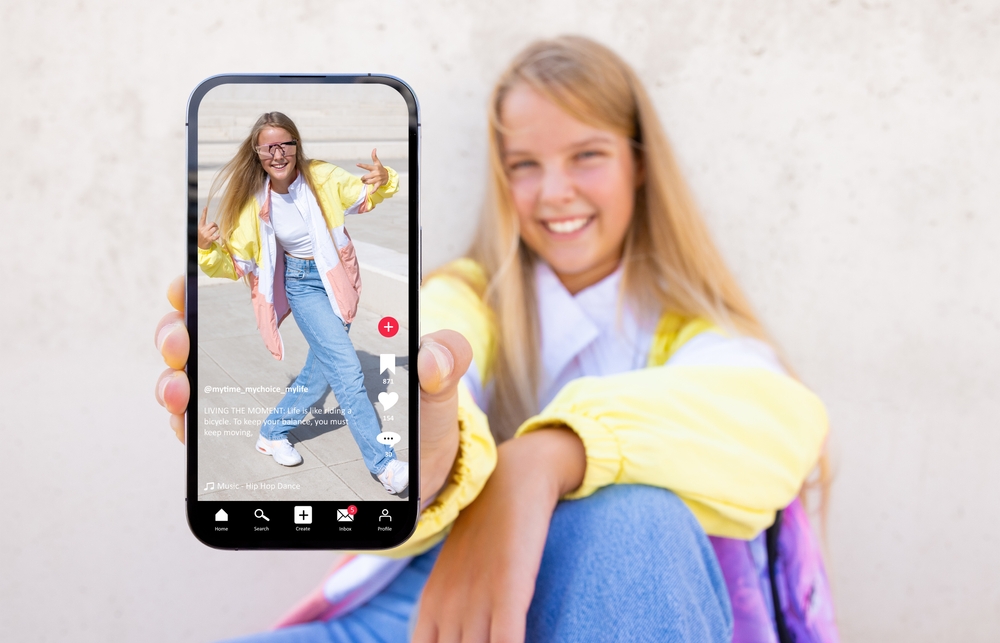
TikTok can collect detailed engagement signals like what videos a child watches, replays, skips, or interacts with, which helps power recommendations and ad-related profiling. It can also collect device and network details (not just GPS), which can still reveal patterns about when and how the app is used. That means the “tracking” story often isn’t about location—it’s about behavior and preferences over time. To tighten this up, use the strongest privacy settings available, turn off ad personalization where possible, and keep permissions limited to what’s needed. If a child doesn’t need contacts access or constant background permissions, those are easy “no” choices that reduce data flow.

2. Roblox

Roblox can process information about what a user does on the platform and may use personal information to personalize ads and measure ad effectiveness. That tracking can include platform usage and identifiers that help decide what gets shown and what performs best. Even without “location,” play habits, purchases, and social interactions can create a surprisingly detailed profile. A practical move is to review privacy settings, restrict chat and friend features if they aren’t needed, and limit ad-related options where available.
Also treat “free” in-game perks and events like a signal to double-check what data the experience relies on.

3. YouTube Kids

YouTube Kids is one of the children’s apps that collects data. It can track activity such as watch and search history and uses a unique app identifier tied to activity to recommend content. It also uses unique identifiers for contextual advertising (even though it doesn’t allow interest-based ads in YouTube Kids). So even when a parent thinks, “It’s just videos,” the app can still track behavior patterns like what the user is replaying and what they’re skipping. To reduce data buildup, pause or clear watch/search history inside parental settings and use signed-out mode if the household doesn’t need profiles. Downloading videos for offline viewing (when available) can also cut down on ad-related exposure and tracking signals.

4. Snapchat

Snapchat’s privacy materials describe collecting and using data beyond location, including information tied to how someone uses the service and interacts with content. Its ads-related documentation also makes clear that Snapchat uses data to support advertising and ad controls. Even if a child never shares a map location, patterns like who they message, when they’re active, and what they engage with can still be valuable metadata. The simplest guardrails are limiting permissions (camera only while using the app, not always), turning off ad personalization where possible, and tightening who can contact the account. If “quick add” or public-facing features aren’t necessary, disabling them reduces the amount of social mapping the app can build.

5. Instagram

Instagram’s data policy explains that Meta collects information about how people use its products, including the types of content they view or engage with and the actions they take. That means “tracking” often shows up as engagement and behavior signals, not just location settings. For kids and teens, those signals can quickly turn into highly tuned feeds that keep attention locked in. A practical approach is to make accounts private, limit sensitive permissions, and regularly reset or review ad and recommendation settings. If a child uses Instagram mainly to keep up with friends, turning off unnecessary discovery features can reduce profiling pressure.

6. Discord

Discord’s privacy policy spells out that it can collect device information (like IP address, OS/browser details, and device settings such as microphone/camera) and log/event information about how and when someone uses the service. It also describes collecting information about activities on the service, such as friends added, servers joined, and content interactions. So even without GPS, usage patterns can reveal routines, communities, interests, and social networks. The easiest safety upgrade is limiting who can DM, keeping servers invite-only when appropriate, and restricting microphone/camera permissions to “only while using.” If a child doesn’t need integrations, bots, or third-party add-ons, keeping things “basic” reduces the tracking surface.

7. Messenger Kids

Messenger Kids is designed for child communication managed through a parent account, but messaging children’s apps like this still create rich data trails through communication patterns and usage metadata. Parent-facing guidance emphasizes that caregivers can manage contacts and settings, which matters because who a child can reach is a major privacy lever. Meta’s broader child/parent account disclosures also describe collecting and using child information as part of providing services. A strong default is keeping the friend list tight (known family/friends only), turning off any extras the child doesn’t use, and regularly reviewing the contact approvals. If a messaging app starts asking for permissions that don’t match its job, that’s a cue to pause and reassess before tapping “allow.”

8. Spotify

Spotify explains that it collects “usage data” tied to actions on the service, like what someone plays and how they interact with features. Ad and personalization systems can also rely on identifiers and inferences about interests to make experiences (and ads) more relevant. For kids, listening behavior can reveal moods, routines, and preferences even when no location sharing is enabled. To tighten things up, use a family plan/kid-appropriate setup, review privacy controls, and disable settings that share listening activity publicly. If the goal is background music, turning off social sharing features helps keep “what they listen to” from becoming “what trackable and broadcast.”

The Two-Minute Privacy Tune-Up Parents Can Actually Keep Up With

Start by reviewing children’s apps permissions once a month and removing anything that doesn’t match the app’s job. Turn off ad personalization where possible, limit tracking permissions, and keep Bluetooth and local network access disabled unless needed. Use kid profiles, screen time controls, and app store approval settings so downloads don’t happen on impulse. Talk to kids in plain language about why “free” can come with strings attached. A small routine beats a one-time panic cleanout, and it keeps a family’s digital life calmer.

What’s one app permission parents have started saying “no” to—and did it change how children’s apps behave?

What to Read Next…

7 Kids’ Apps That Can Silently Access Your Camera or Microphone

The Silent Threat: 9 Digital Attacks Experts Say Are Imminent For Kids’ Devices

5 Ways Bullying Apps Are Operating Without School Oversight

Are You Underestimating? 9 Privacy Settings For Kids’ Devices To Change Immediately

The Truth About Screens: 9 Apps Your Kids Use That Secretly Collect Data

Catherine Reed
Catherine Reed

Catherine is a tech-savvy writer who has focused on the personal finance space for more than eight years. She has a Bachelor’s in Information Technology and enjoys showcasing how tech can simplify everyday personal finance tasks like budgeting, spending tracking, and planning for the future. Additionally, she’s explored the ins and outs of the world of side hustles and loves to share what she’s learned along the way. When she’s not working, you can find her relaxing at home in the Pacific Northwest with her two cats or enjoying a cup of coffee at her neighborhood cafe.
Filed Under: Technology Tagged With: app permissions, child safety tech, data tracking, digital parenting, kids’ online privacy, parental controls, screen time tips

7 Kids’ Apps That Can Silently Access Your Camera or Microphone

October 21, 2025 | Leave a Comment

7 Kids' Apps That Can Silently Access Your Camera or Microphone
Image source: shutterstock.com

Most parents assume that popular children’s apps are harmless fun, but many have permissions that go far beyond games and learning tools. Hidden within terms and settings, some apps request—or even automatically gain—access to your child’s camera or microphone without clearly explaining why. These permissions can open the door to privacy risks, data collection, and even third-party tracking. Knowing which apps to watch out for and how to protect your child’s digital privacy has become essential in a world where playtime and technology are deeply intertwined.

1. TikTok

Though technically restricted to older users, TikTok remains one of the most downloaded apps among kids. Privacy experts have repeatedly raised concerns about how it accesses device cameras and microphones, even when the app isn’t actively recording. The platform’s algorithm thrives on user engagement, meaning it often gathers data on sounds, visuals, and facial expressions. While TikTok claims these features help personalize content, the data collection practices make it one of the top kids’ apps that can silently access your camera or microphone. Parents are encouraged to use “Family Pairing” mode to limit permissions and visibility.

2. Roblox

Roblox is a massive online gaming platform popular among children, but its permissions extend beyond gameplay. Some experiences within Roblox prompt camera and microphone use for voice chat or avatar interaction. However, once enabled, these permissions can remain active across sessions. This has led cybersecurity experts to include Roblox on lists of kids’ apps that can silently access your camera or microphone, especially when settings are not closely monitored. Parents can mitigate risks by disabling voice chat and reviewing privacy controls regularly.

3. Snapchat

Snapchat markets itself as a fun, creative messaging tool, but it requires near-constant access to a user’s camera and microphone. Even when a child isn’t actively taking pictures, the app may retain background permissions that allow ongoing data collection. The “Snap Map” feature also tracks location, further amplifying privacy concerns. For parents worried about kids’ apps that can silently access your camera or microphone, Snapchat poses multiple risks. Turning off location sharing and limiting friend lists can help reduce potential exposure.

4. YouTube Kids

YouTube Kids was designed to create a safe video experience, yet it’s not immune to privacy criticism. The app’s voice search feature requires microphone access, and in some cases, that access remains enabled even after closing the app. Critics argue that this could expose children to unnecessary data collection or unintentional listening. Though Google states that permissions are used strictly for functionality, YouTube Kids still appears on several cybersecurity lists of kids’ apps that can silently access your camera or microphone. Parents can adjust app permissions in device settings to improve security.

5. Zoom

Zoom became a staple of remote learning, but it also introduced new privacy risks. The app automatically requests access to the camera and microphone and may continue using them in the background during active sessions. For children attending virtual classes or social hangouts, this could mean unintended recording or observation. Security researchers have flagged Zoom as one of the kids’ apps that can silently access your camera or microphone when settings aren’t properly configured. Parents should always monitor when Zoom is active and ensure permissions are turned off once sessions end.

6. Facebook Messenger Kids

Messenger Kids was created to let children communicate under parental supervision, but the app still has broad access to cameras and microphones. Because it’s tied to Meta’s data ecosystem, the app may collect voice and video data to enhance filters or “safety” features. Unfortunately, that same access can leave open windows for potential misuse or data mining. Privacy advocates have cited it among the kids’ apps that can silently access your camera or microphone, especially if parents don’t frequently review permissions. Turning off certain features can help maintain tighter control.

7. Talking Tom and Friends

Talking Tom may seem like harmless entertainment, but the app has long faced controversy over how it records and stores audio. The app requires microphone access to mimic speech, but past security reviews revealed that data storage wasn’t always clearly managed or protected. Some versions also asked for camera access, raising eyebrows among privacy advocates. Because of these issues, Talking Tom and similar games are often mentioned in reports about kids’ apps that can silently access your camera or microphone. Experts recommend disabling microphone access entirely for nonessential entertainment apps.

Protecting Your Child’s Digital Privacy Starts with Awareness

Understanding how kids’ apps that can silently access your camera or microphone operate is the first step toward protecting your family’s privacy. Parents should regularly check app permissions, disable unnecessary features, and discuss with children why privacy matters. Tools like parental controls and privacy dashboards make it easier than ever to monitor access. Most importantly, choosing apps that clearly disclose how data is collected builds better digital habits from a young age. Vigilance today can prevent privacy problems tomorrow—and give parents peace of mind in an increasingly connected world.

Have you ever checked which apps have access to your child’s camera or microphone? What steps do you take to protect their privacy online? Share your thoughts in the comments.

What to Read Next…

6 Popular Family Apps That Have Leaked Children’s Data

The Truth About Screens: 9 Apps Your Kids Use That Secretly Collect Data

Government Spies: 8 Privacy Concerns with Government Databases of Kids

Data Harvested: 7 Ways Your Child’s Data Is Collected

Data Risk: 9 Data Breaches Still Threatening Your Kids’ Info

Catherine Reed
Catherine Reed

Catherine is a tech-savvy writer who has focused on the personal finance space for more than eight years. She has a Bachelor’s in Information Technology and enjoys showcasing how tech can simplify everyday personal finance tasks like budgeting, spending tracking, and planning for the future. Additionally, she’s explored the ins and outs of the world of side hustles and loves to share what she’s learned along the way. When she’s not working, you can find her relaxing at home in the Pacific Northwest with her two cats or enjoying a cup of coffee at her neighborhood cafe.

Filed Under: Technology Tagged With: app permissions, child safety, cybersecurity, digital parenting, family technology, Internet Safety, kids apps, online privacy, Parenting

  • Facebook
  • Pinterest
  • RSS
  • Twitter

Basic Principles Of Good Parenting

Here some basic principles for good parenting:

  1. What You Do Matters: Your kids are watching you. So, be purposeful about what you want to accomplish.
  2. You Can’t be Too Loving: Don’t replace love with material possessions, lowered expectations or leniency.
  3. Be Involved Your Kids Life: Arrange your priorities to focus on what your kid’s needs. Be there mentally and physically.
  4. Adapt Your Parenting: Children grow quickly, so keep pace with your child’s development.
  5. Establish and Set Rules: The rules you set for children will establish the rules they set for themselves later.  Avoid harsh discipline and be consistent.
  6. Explain Your Decisions: What is obvious to you may not be evident to your child. They don’t have the experience you do.
  7. Be Respectful To Your Child: How you treat your child is how they will treat others.  Be polite, respectful and make an effort to pay attention.
Best Parenting Blogs

Most Popular

Baby

9 Baby Names That Sound Rare Without Being Hard to Spell

Evan Morgan
Baby

9 Unusual Baby Names That Sound Like They Belong to Future CEOs

Evan Morgan
Target Store

Choking Incident Prompts Recall of 49,000 Target Gigglescape “Under the Sea” Popping Toys

Evan Morgan
Frustrated Girl

Why Some Students on the Spectrum Are Labeled With ODD

Evan Morgan
Coke Bottles

12 Things Kids Took to School in the ’70s That Would Never Be Allowed Today

Evan Morgan

All content on Kids Ain’t Cheap is for entertainment purposes only. By reading this blog, you agree that Kids Ain’t Cheap is not responsible for any actions taken after reading this blog. For the full disclaimer, see our privacy policy.

Please note that Kids Ain’t Cheap has financial relationships with some of the merchants mentioned here. Kids Ain’t Cheap is funded by banner advertising, commission sales and search optimization consulting.

Copyright © 2006–2026 | District Media | All Rights Reserved | Privacy Policy

Copyright © 2026 Runway Pro Theme by Viva la Violette