
• Home
  • About Us
  • Toolkit
  • Archives
  • Advertise
  • Privacy Policy

Kids Ain't Cheap

But They Sure Are Worth It

  • Parenting
    • Baby Stuff
    • Books and Reading
      • Aesops Fables
      • Comic Books
    • Education
    • Family Time
    • Green Living
    • Growing Up
    • Healthy Living & Eating
    • Holidays
    • Parenting
    • Random Musings
    • Shopping
    • Stuff to Do
  • Money
  • Product Reviews
    • Books and Magazines
    • Discount Sites
    • Furniture
    • House Keeping
    • Reviews News
    • Toys and Games
  • Contact Us
  • Our Editorial Commitment
  • Search

“Sharenting” in 2025: Are You Violating Your Child’s Digital Consent?

October 30, 2025 | Leave a Comment

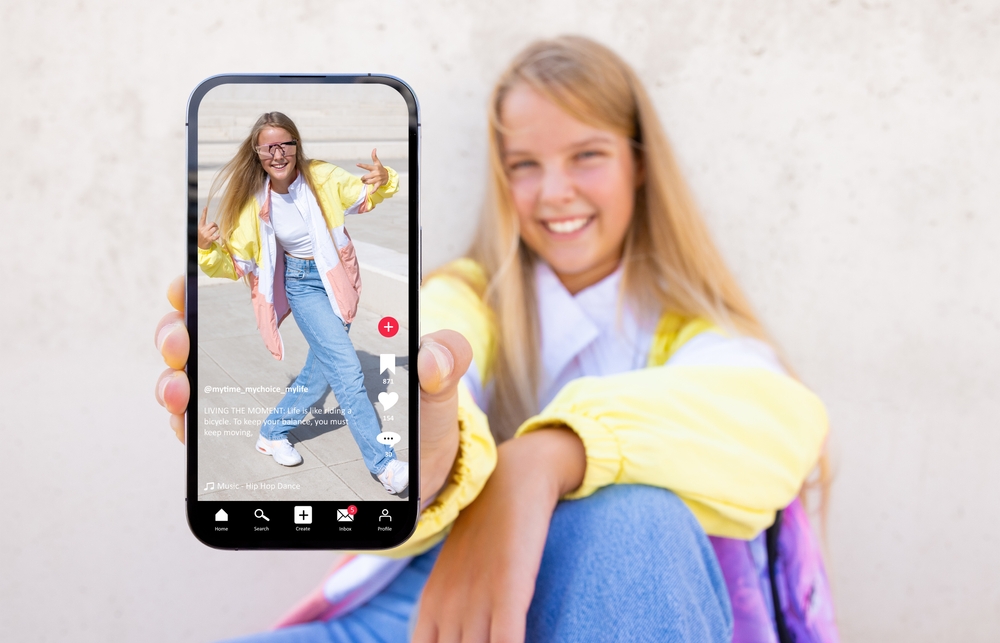
Image source: shutterstock.com

Posting pictures of your kids online has become second nature for many parents, but in 2025, more families are starting to realize the potential long-term consequences. Every cute milestone, school update, or birthday post builds a digital footprint your child didn’t choose. As privacy laws evolve and children grow more aware of their online presence, the question of digital consent is becoming impossible to ignore. Sharenting isn’t just about sharing memories anymore—it’s about deciding who owns your child’s story in a digital world that never forgets.

The Hidden Risks of Sharenting in a Connected World

Sharenting often feels harmless, but every post contributes to a lasting record of your child’s life. Once a photo or video is uploaded, it can be copied, shared, or stored by others without your knowledge. Hackers and data brokers can even use these images for facial recognition databases or targeted advertising. Beyond privacy breaches, sharing online can also expose children to identity theft if personal details like full names, birth dates, or school information are revealed. As awareness of digital consent grows, many families are reevaluating how much they share and who really benefits from it.

When Sharing Crosses the Line into Exploitation

Some parents, particularly influencers, may not realize how easily sharing turns into exploitation. A child’s image or experiences can become part of a monetized online brand, blurring ethical lines. Sharenting in this way can cause resentment later when kids realize their private moments were publicized for likes or profit. Even innocent posts can feel invasive once children are old enough to understand how much of their life is online. Recognizing the difference between connection and commodification is key to respecting digital consent.

The Emotional Impact on Children Growing Up Online

Children raised during this social media-heavy age often develop complicated feelings about their digital identity. They may feel embarrassed by old photos, uncomfortable with being recognized by strangers, or frustrated that their privacy was never considered. Psychologists warn that early exposure to social media attention can influence self-esteem and personal boundaries. These emotional effects can persist into adulthood, shaping how they use technology and trust others. Listening to children’s preferences and treating them as participants in digital decisions builds respect and accountability.

Laws Around Digital Consent Are Catching Up

Legal systems around the world are beginning to recognize the complications of this type of online sharing. France, for example, introduced laws holding parents accountable for violating a child’s privacy online. Similar conversations are emerging in the United States as states debate children’s rights to data protection. Sharenting is increasingly being viewed through the lens of consent, with questions about who owns a child’s digital image. In 2025, it’s becoming clear that parental rights to share don’t always outweigh a child’s right to privacy.

Sharenting and the Illusion of Safety

Many parents justify online sharing as a way to connect safely with family and friends. However, privacy settings can only go so far. Once something is posted, it can be screenshotted or reshared beyond your control. Oversharing also provides clues about your child’s routines, locations, and schools, which can increase safety risks. Awareness of these realities helps families make more thoughtful choices about what truly needs to be online.

The Fine Line Between Pride and Privacy

It’s natural to want to celebrate your child’s achievements publicly, but sharenting often blurs the line between pride and exposure. When milestones become content, the meaning behind them can shift from genuine joy to audience validation. Before posting, it’s worth asking whether your child would be comfortable with that image or story later in life. Sharing online can be done responsibly by focusing on moments that don’t reveal personal details or emotional vulnerability. A private scrapbook or secure photo album can be a safer way to preserve memories.

Teaching Kids About Digital Boundaries Early

One of the best ways to navigate this digital issue responsibly is by involving kids in conversations about online privacy. Even young children can learn what digital consent means by choosing which photos they’re comfortable sharing. Teaching them to think critically about posting helps them develop healthy online habits for the future. As children age, their comfort levels may change and respecting that evolution builds trust. In the era of sharenting, open dialogue is more powerful than any privacy setting.

Alternatives to Public Sharing

Parents don’t have to give up sharing entirely to protect their child’s digital consent. Private messaging apps encrypted cloud storage, or password-protected family sites offer safer ways to share updates with loved ones. You can also focus on posting more about your experiences as a parent rather than your child’s specific moments. This keeps the focus on your journey while preserving their privacy. Sharing doesn’t have to disappear—it just needs to evolve with more mindfulness and consent.

How to Know If You’re Respecting Digital Consent

Ask yourself a few key questions before posting: Would your child approve of this photo? Does it reveal personal information that could identify them? Would it embarrass them later? Practicing this quick self-check helps prevent oversharing. Sharenting with awareness ensures that your child’s dignity and autonomy come first, even in the most casual posts.

Building a Future of Respectful Sharing

Sharenting in 2025 has become a reflection of how families adapt to the challenges of living publicly online. Parents now have the power to model responsible digital behavior that prioritizes consent and compassion. By being more selective, seeking your child’s input, and choosing privacy, when possible, you can strike a balance between connection and protection. The stories you share today shape how your child understands ownership, boundaries, and respect in the digital age.

How do you approach sharenting in your family? Do you think parents should need a child’s permission before posting? Share your thoughts below!

What to Read Next…

10 Things You’re Overspending On Because of Social Media Parenting Trends

9 Social Media Challenges Kids Are Still Doing—Even in 2025

Is Your Teen’s Social Media Putting Your Entire Family at Risk?

7 Digital Toys That Let Strangers Communicate With Your Kids

7 Kids’ Apps That Can Silently Access Your Camera or Microphone

Catherine Reed
Catherine Reed

Catherine is a tech-savvy writer who has focused on the personal finance space for more than eight years. She has a Bachelor’s in Information Technology and enjoys showcasing how tech can simplify everyday personal finance tasks like budgeting, spending tracking, and planning for the future. Additionally, she’s explored the ins and outs of the world of side hustles and loves to share what she’s learned along the way. When she’s not working, you can find her relaxing at home in the Pacific Northwest with her two cats or enjoying a cup of coffee at her neighborhood cafe.

Filed Under: Parenting Tagged With: child safety, digital consent, digital parenting, family technology, online privacy, parenting trends, sharenting, social media ethics

7 Kids’ Apps That Can Silently Access Your Camera or Microphone

October 21, 2025 | Leave a Comment

7 Kids' Apps That Can Silently Access Your Camera or Microphone
Image source: shutterstock.com

Most parents assume that popular children’s apps are harmless fun, but many have permissions that go far beyond games and learning tools. Hidden within terms and settings, some apps request—or even automatically gain—access to your child’s camera or microphone without clearly explaining why. These permissions can open the door to privacy risks, data collection, and even third-party tracking. Knowing which apps to watch out for and how to protect your child’s digital privacy has become essential in a world where playtime and technology are deeply intertwined.

1. TikTok

Though technically restricted to older users, TikTok remains one of the most downloaded apps among kids. Privacy experts have repeatedly raised concerns about how it accesses device cameras and microphones, even when the app isn’t actively recording. The platform’s algorithm thrives on user engagement, meaning it often gathers data on sounds, visuals, and facial expressions. While TikTok claims these features help personalize content, the data collection practices make it one of the top kids’ apps that can silently access your camera or microphone. Parents are encouraged to use “Family Pairing” mode to limit permissions and visibility.

2. Roblox

Roblox is a massive online gaming platform popular among children, but its permissions extend beyond gameplay. Some experiences within Roblox prompt camera and microphone use for voice chat or avatar interaction. However, once enabled, these permissions can remain active across sessions. This has led cybersecurity experts to include Roblox on lists of kids’ apps that can silently access your camera or microphone, especially when settings are not closely monitored. Parents can mitigate risks by disabling voice chat and reviewing privacy controls regularly.

3. Snapchat

Snapchat markets itself as a fun, creative messaging tool, but it requires near-constant access to a user’s camera and microphone. Even when a child isn’t actively taking pictures, the app may retain background permissions that allow ongoing data collection. The “Snap Map” feature also tracks location, further amplifying privacy concerns. For parents worried about kids’ apps that can silently access your camera or microphone, Snapchat poses multiple risks. Turning off location sharing and limiting friend lists can help reduce potential exposure.

4. YouTube Kids

YouTube Kids was designed to create a safe video experience, yet it’s not immune to privacy criticism. The app’s voice search feature requires microphone access, and in some cases, that access remains enabled even after closing the app. Critics argue that this could expose children to unnecessary data collection or unintentional listening. Though Google states that permissions are used strictly for functionality, YouTube Kids still appears on several cybersecurity lists of kids’ apps that can silently access your camera or microphone. Parents can adjust app permissions in device settings to improve security.

5. Zoom

Zoom became a staple of remote learning, but it also introduced new privacy risks. The app automatically requests access to the camera and microphone and may continue using them in the background during active sessions. For children attending virtual classes or social hangouts, this could mean unintended recording or observation. Security researchers have flagged Zoom as one of the kids’ apps that can silently access your camera or microphone when settings aren’t properly configured. Parents should always monitor when Zoom is active and ensure permissions are turned off once sessions end.

6. Facebook Messenger Kids

Messenger Kids was created to let children communicate under parental supervision, but the app still has broad access to cameras and microphones. Because it’s tied to Meta’s data ecosystem, the app may collect voice and video data to enhance filters or “safety” features. Unfortunately, that same access can leave open windows for potential misuse or data mining. Privacy advocates have cited it among the kids’ apps that can silently access your camera or microphone, especially if parents don’t frequently review permissions. Turning off certain features can help maintain tighter control.

7. Talking Tom and Friends

Talking Tom may seem like harmless entertainment, but the app has long faced controversy over how it records and stores audio. The app requires microphone access to mimic speech, but past security reviews revealed that data storage wasn’t always clearly managed or protected. Some versions also asked for camera access, raising eyebrows among privacy advocates. Because of these issues, Talking Tom and similar games are often mentioned in reports about kids’ apps that can silently access your camera or microphone. Experts recommend disabling microphone access entirely for nonessential entertainment apps.

Protecting Your Child’s Digital Privacy Starts with Awareness

Understanding how kids’ apps that can silently access your camera or microphone operate is the first step toward protecting your family’s privacy. Parents should regularly check app permissions, disable unnecessary features, and discuss with children why privacy matters. Tools like parental controls and privacy dashboards make it easier than ever to monitor access. Most importantly, choosing apps that clearly disclose how data is collected builds better digital habits from a young age. Vigilance today can prevent privacy problems tomorrow—and give parents peace of mind in an increasingly connected world.

Have you ever checked which apps have access to your child’s camera or microphone? What steps do you take to protect their privacy online? Share your thoughts in the comments.

What to Read Next…

6 Popular Family Apps That Have Leaked Children’s Data

The Truth About Screens: 9 Apps Your Kids Use That Secretly Collect Data

Government Spies: 8 Privacy Concerns with Government Databases of Kids

Data Harvested: 7 Ways Your Child’s Data Is Collected

Data Risk: 9 Data Breaches Still Threatening Your Kids’ Info

Catherine Reed
Catherine Reed

Catherine is a tech-savvy writer who has focused on the personal finance space for more than eight years. She has a Bachelor’s in Information Technology and enjoys showcasing how tech can simplify everyday personal finance tasks like budgeting, spending tracking, and planning for the future. Additionally, she’s explored the ins and outs of the world of side hustles and loves to share what she’s learned along the way. When she’s not working, you can find her relaxing at home in the Pacific Northwest with her two cats or enjoying a cup of coffee at her neighborhood cafe.

Filed Under: Technology Tagged With: app permissions, child safety, cybersecurity, digital parenting, family technology, Internet Safety, kids apps, online privacy, Parenting

6 Parenting Tech Shortcuts That Can Expose Your Child to Strangers

August 30, 2025 | Leave a Comment

6 Parenting Tech Shortcuts That Can Expose Your Child to Strangers
Image source: 123rf.com

Technology has made parenting more convenient, but those same tools can create new risks that parents often overlook. While apps, devices, and online platforms promise safety and efficiency, they can also open the door to strangers if not used carefully. Many families rely on parenting tech shortcuts to save time, yet these shortcuts can compromise privacy and security. Being aware of the hidden dangers behind these tools is the first step toward protecting your child.

1. Location-Sharing Apps That Overshare

Parents often use apps that allow kids to share their location, believing this keeps them safe. The problem is that some apps make tracking information accessible to more than just parents. Strangers can exploit weak privacy settings and gain access to real-time data about where your child is. Even if the app seems trustworthy, third-party data sharing can expand the risk. Reviewing permissions and limiting who has access is crucial when relying on these parenting tech shortcuts.

2. Smart Speakers Listening In

Many households use smart speakers for homework help, music, or entertainment. However, these devices often record conversations and store them in the cloud. If accounts are not properly secured, strangers or hackers could access sensitive information. Children may unknowingly share details about their school, friends, or routines while chatting with the device. Parents should always check privacy settings and avoid linking personal accounts too freely to these parenting tech shortcuts.

3. Kid-Friendly Tablets with Weak Security

Tablets designed for children often come preloaded with apps and games. While they appear harmless, some apps collect data without clear consent. Free games in particular may expose kids to strangers through chat features or hidden advertising networks. The default settings on these devices rarely prioritize security. Parents should adjust restrictions before handing tablets over, because these parenting tech shortcuts can create digital entry points for outsiders.

4. Social Media Profiles for Young Kids

Some parents create social media accounts for their children to share milestones with friends and family. Unfortunately, these profiles can be discovered by strangers if privacy settings are left unchecked. Photos, names, and even location tags can provide more personal information than parents realize. Once shared, images and posts can be copied or misused without consent. Using these parenting tech shortcuts to simplify sharing may inadvertently expose a child’s personal life to the public.

5. Homework Help Apps That Collect Data

Digital homework helpers seem like a dream come true for busy families. Yet many require account creation, data entry, or even access to a child’s camera and microphone. This data may be sold to advertisers or left vulnerable to breaches. Some apps also allow peer-to-peer interactions that aren’t always closely monitored. Parents should carefully vet any platform, because these parenting tech shortcuts often prioritize convenience over safety.

6. Video Calling Tools Without Supervision

Video chats help kids stay in touch with family and friends, but unsupervised use can lead to risky connections. Many platforms allow users to be contacted by strangers if privacy settings aren’t configured properly. Kids may accidentally accept calls or messages from people they don’t know. Even well-meaning relatives can leave devices unlocked, giving others an opening. Parents should supervise video calls and use parental controls to minimize the risks tied to these parenting tech shortcuts.

Awareness Protects What Shortcuts Can’t

Convenience is tempting, and parenting tech shortcuts can save valuable time. Yet shortcuts should never come at the cost of safety. By paying attention to privacy settings, monitoring device use, and asking tough questions about data collection, parents can stay one step ahead. Technology itself isn’t the enemy, but careless use can expose kids to strangers. Staying vigilant ensures children enjoy the benefits of tech without being put at unnecessary risk.

What parenting tech shortcuts do you rely on, and how do you make sure they stay safe for your child? Share your thoughts in the comments below.

What to Read Next…

How Much Screen Time Is Quietly Reshaping Childhood Behavior?

The Dark Side of Kids’ YouTube You Didn’t See Coming

Are We Giving Our Kids Too Much Freedom Too Soon? Here’s Why You Might Be Wrong

10 Ways Parents Are Accidentally Teaching Entitlement

5 Unintended Consequences Of Keeping A Child Sheltered

Catherine Reed
Catherine Reed

Catherine is a tech-savvy writer who has focused on the personal finance space for more than eight years. She has a Bachelor’s in Information Technology and enjoys showcasing how tech can simplify everyday personal finance tasks like budgeting, spending tracking, and planning for the future. Additionally, she’s explored the ins and outs of the world of side hustles and loves to share what she’s learned along the way. When she’s not working, you can find her relaxing at home in the Pacific Northwest with her two cats or enjoying a cup of coffee at her neighborhood cafe.

Filed Under: Technology Tagged With: child safety, digital parenting, Internet Safety, kids and technology, online privacy, parental controls, parenting tech shortcuts

Digital Safety: 6 Steps to Safeguard Your Child’s Online Identity

July 20, 2025 | Leave a Comment

Digital Safety 6 Steps to Safeguard Your Childs Online Identity
Image source: 123rf.com

Kids are growing up in a world where their personal information is just as vulnerable online as adults—if not more. From signing into games to posting photos, every click and login leaves behind a digital footprint. While the internet can be a place of learning and fun, it can also expose children to risks like identity theft, data tracking, and cyberbullying. That’s why digital safety needs to be a top priority for every parent, not just when things go wrong but as an ongoing part of online life. Here are six essential steps to help protect your child’s online identity and teach them how to stay safe in the digital world.

1. Use Strong Passwords and Teach Your Child Why It Matters

Creating strong, unique passwords for your child’s accounts is one of the first lines of defense in digital safety. Simple combinations like “123456” or “password” are easy for hackers to crack, especially on gaming or school platforms where security may be less strict. Help your child understand the importance of using a mix of letters, numbers, and symbols that are hard to guess. Use a password manager or keep a secure list so you don’t lose track of them. Most importantly, never use the same password across multiple accounts.

2. Keep Personal Details Off Public Profiles

It might seem harmless to list your child’s age, school, or city in an online profile, but those small bits of data can quickly add up. Strangers or bots can use that info to piece together an identity or create fake accounts. Talk to your child about what should and shouldn’t be shared online, including photos that give away locations or routines. For maximum digital safety, keep profiles private and encourage your child to use nicknames or initials when possible. Less personal information means fewer ways for someone to misuse their identity.

3. Review Privacy Settings Together

Most apps and websites have privacy settings, but they’re often buried in menus or set to “public” by default. Sit down with your child and review the settings on each platform they use, from social media to gaming apps. Make sure content is only visible to approved friends or followers and disable features like location tracking where possible. Learning how to control who sees what is a big part of digital safety. Doing it together also gives your child the confidence to make safer choices on their own.

4. Monitor App Permissions and Downloads

Every time your child downloads a new app or game, they may be granting access to things like their camera, microphone, contacts, or location. These permissions can create serious vulnerabilities if misused by third parties or malicious software. Make it a habit to check the permissions for each new download and explain to your child why certain features shouldn’t be allowed. Stick to trusted app stores and review ratings and reviews before installing anything new. This step helps maintain digital safety while still letting your child explore technology.

5. Watch for Phishing and Fake Links

Even kids can fall for phishing scams, especially if they’re disguised as game updates, free downloads, or messages from friends. Teach your child how to spot suspicious emails, pop-ups, or in-app messages that ask for passwords or personal details. One click on a fake link can open the door to data theft or account hacking. Encourage them to come to you anytime they’re unsure about something online. Knowing what to avoid is a powerful digital safety skill that protects their identity and your family’s information.

6. Talk Often About Online Choices and Consequences

Digital safety isn’t just about tools and settings—it’s about ongoing conversations. Check in regularly with your child about what apps they’re using, who they’re talking to, and what they’re sharing. Create a home environment where questions are welcomed and mistakes can be talked about without shame. Kids are more likely to make safe choices when they feel supported and informed. Digital habits are built over time, and staying involved shows your child that their safety is your priority.

Smart Habits Today Build a Safer Tomorrow

Protecting your child’s online identity doesn’t require high-tech tools or constant surveillance—it starts with awareness, conversations, and a few smart habits. Digital safety is a shared responsibility, and when parents stay engaged, kids learn how to navigate the internet with confidence and care. The goal isn’t to instill fear, but to equip your child with the tools to stay safe while enjoying everything the digital world has to offer. A proactive approach now can help your child avoid problems down the road and build a healthier relationship with technology for life.

What steps have you taken to improve digital safety in your home? Share your go-to tips or lessons learned in the comments below!

Read More:

6 Urgent Steps to Protect Your Home from Kids’ Dangers

10 Places Your Kids Shouldn’t Be Left Alone (Even If They Beg You To)

Catherine Reed
Catherine Reed

Catherine is a tech-savvy writer who has focused on the personal finance space for more than eight years. She has a Bachelor’s in Information Technology and enjoys showcasing how tech can simplify everyday personal finance tasks like budgeting, spending tracking, and planning for the future. Additionally, she’s explored the ins and outs of the world of side hustles and loves to share what she’s learned along the way. When she’s not working, you can find her relaxing at home in the Pacific Northwest with her two cats or enjoying a cup of coffee at her neighborhood cafe.

Filed Under: Parenting Tagged With: cybersecurity for kids, digital safety, Internet Safety, kids and technology, online identity protection, online privacy, parenting tips, tech-savvy parenting

Other Kids’ Privacy: 7 Things Never to Post About Other Kids Online

July 20, 2025 | Leave a Comment

Other Kids Privacy 7 Things Never to Post About Other Kids Online
Image source: 123rf.com

Snapping a cute photo of your child at a birthday party or school play might feel innocent enough—but what about the other kids in the picture? In our hyper-connected world, it’s easy to forget that not all parents are comfortable with their child’s image or personal details being shared online. Even well-meaning posts can accidentally cross the line and compromise other kids’ privacy. Whether you’re sharing on social media, in parenting groups, or through a blog, it’s important to pause and think before you hit “post.” Protecting every child’s digital footprint is part of being a respectful and responsible adult in the age of constant sharing.

1. Full Names Paired with Photos

Including both a child’s face and full name in a post can put them at risk, especially when shared on public accounts. This makes it easier for strangers to find, identify, or even contact that child. Protecting other kids’ privacy means thinking beyond your own comfort level with sharing. Even if you’re friends with their parents, you should ask before tagging or naming any child online. First names only—or better yet, no names at all—help reduce digital exposure.

2. School or Location Details

Posts that include school names, team names, or specific location tags make it easy for others to track where a child spends their time. Even something as simple as a school T-shirt or a sign in the background can reveal more than intended. Respecting other kids’ privacy means keeping identifiable details out of your posts, especially if they involve regular routines. It’s also wise to avoid checking in at school events or group gatherings in real time. Post after the fact, and skip the geotags.

3. Discipline or Meltdowns

No matter how relatable a tantrum or awkward moment may seem, sharing a photo or story about another child’s meltdown crosses a line. These posts can be embarrassing for the child and upsetting for their parents. Other kids’ privacy should include the right to have their tough moments kept private, not made public for a laugh or sympathy. What feels like a funny anecdote to you could be humiliating to someone else’s family. Keep sensitive stories offline, especially if the child involved isn’t your own.

4. Medical or Developmental Information

Even with good intentions, sharing information about another child’s allergies, diagnosis, or developmental challenges is a major breach of trust. That information belongs to the child and their family, not the internet. Other kids’ privacy extends to health and learning differences, whether you’re posting to educate, vent, or celebrate. If it’s not your story to tell, it’s best left unsaid. Support others quietly and privately without risking their child’s confidentiality.

5. Group Photos Without Permission

It’s easy to take a group shot at a birthday party or school event and want to share it to celebrate the fun. But unless every parent has given the okay, that picture could violate someone else’s boundaries. Other kids’ privacy is especially vulnerable in group photos because even background faces can be easily identified. A safer approach is to crop the photo, blur faces, or only post pictures of your own child. Better yet, ask parents beforehand or offer to share pictures privately.

6. Personal Comments or Comparisons

Making comments like “Emma always finishes first in class, unlike some of the others” may seem harmless, but it can hurt feelings or stir up tension. Public comparisons and critiques—whether direct or subtle—can undermine another child’s confidence. Respecting other kids’ privacy includes how you talk about their abilities, behavior, or place in a group. Keep your focus on your own child’s accomplishments without dragging others into the mix. Encouragement should never come at someone else’s expense.

7. Birthday, Address, or Event Info

Sharing invitations, party plans, or “see you at Jake’s house at 2!” posts might feel convenient, but they expose details that others might prefer to keep private. Other kids’ privacy includes keeping their personal schedule and home life off your timeline. Even RSVPs or tagged stories at private events should be handled carefully. It’s always better to communicate privately when it comes to party plans or gatherings. Be the parent who protects the moment, not the one who overshares it.

Privacy is a Shared Responsibility

Respecting other kids’ privacy doesn’t mean you have to stop posting about your family—it just means being more mindful of who else might be affected. Every child deserves to grow up with a clean digital slate and the chance to control their own story later. By pausing before you share and choosing privacy over publicity, you’re modeling the kind of thoughtfulness we all hope our kids will one day show, too. A little extra care today can prevent hurt feelings, broken trust, or long-term digital regrets tomorrow. Let’s make the online world safer for every child, not just our own.

What rules do you follow when posting photos or stories that include other kids? Share your tips or experiences in the comments!

Read More:

Privacy Violation: 7 Things Never to Post About Your Kids Online

9 Privacy Settings You Didn’t Know Existed for Kids’ Devices

Catherine Reed
Catherine Reed

Catherine is a tech-savvy writer who has focused on the personal finance space for more than eight years. She has a Bachelor’s in Information Technology and enjoys showcasing how tech can simplify everyday personal finance tasks like budgeting, spending tracking, and planning for the future. Additionally, she’s explored the ins and outs of the world of side hustles and loves to share what she’s learned along the way. When she’s not working, you can find her relaxing at home in the Pacific Northwest with her two cats or enjoying a cup of coffee at her neighborhood cafe.

Filed Under: Parenting Tagged With: child protection, digital parenting, kids and tech, online privacy, other kids' privacy, parenting tips, respectful parenting, social media safety

Messaging Spies: 8 Privacy Settings on Kids’ Messaging Apps Tracking

July 11, 2025 | Leave a Comment

Messaging Spies 8 Privacy Settings on Kids Messaging Apps Tracking
123rf.com

If your child uses a messaging app, chances are someone—or something—is quietly watching. While messaging is a great way for kids to stay connected with friends and family, these platforms often come with tracking tools that monitor activity, collect data, and store personal information. Understanding the privacy settings on kids’ messaging apps isn’t just smart—it’s essential for keeping your child’s digital life safe. Whether your child is using a school-sanctioned app or chatting with friends after bedtime, the wrong setting can put their information in the wrong hands. Here are eight privacy features to check right now to stop silent tracking in its tracks.

1. Disable Location Sharing

Many messaging apps allow users to share their real-time location—even automatically in some cases. This setting might seem helpful for parents, but it can also expose your child’s location to strangers or third-party advertisers. Always check if location sharing is on by default and switch it off unless absolutely necessary. Some apps tuck this option inside chat settings, while others bury it deep in privacy menus. Disabling this is one of the most important privacy settings on kids’ messaging apps that helps protect your child’s whereabouts.

2. Set Messages to Auto-Delete or Disappear

If your child is using apps like Snapchat or Telegram, you can enable auto-delete settings so messages disappear after a set time. While this feature is often seen as a fun trick, it can also reduce the chances of long-term data storage or message archiving. For kids, it also prevents message trails that could be misused later. Just be sure they understand that screenshots are still possible and disappearing messages don’t mean total privacy. It’s a small step toward safer communication and data hygiene.

3. Turn Off Read Receipts and Activity Status

Read receipts and online activity indicators let others know when your child is online or has seen a message. While this might seem harmless, it creates pressure to respond and lets people track their habits. Turning off this setting adds a layer of control and reduces peer pressure. Many messaging apps allow users to turn this off in the “Privacy” section of settings. Managing visibility is one of the simplest privacy settings on kids’ messaging apps that also helps protect their mental space.

4. Limit Who Can Message or Add Them

Some apps allow anyone to send a message, friend request, or group invite by default. That means your child could be contacted by people they don’t know—and in some cases, by bots or scam accounts. Head into settings and restrict messaging permissions to “friends only” or “contacts only.” This reduces exposure to unwanted messages and spam. Teaching your child not to accept requests from strangers is still key, but limiting access adds extra protection.

5. Restrict Data Sharing with Third Parties

Many messaging apps collect data like contact lists, device information, and usage habits and then share it with advertisers or other services. You can often opt out of this under settings labeled “Data,” “Privacy,” or “Ad Preferences.” Unchecking boxes related to data sharing prevents your child’s usage from being turned into a marketing profile. This is one of the more hidden privacy settings on kids’ messaging apps, but it makes a big difference over time. Less data collected means less risk if the app is ever hacked or sold.

6. Control Who Can See Their Profile Information

Depending on the app, your child’s username, profile photo, or status might be visible to everyone. While this may seem minor, it can reveal more than you think—like gender, age, or interests. Go into the profile or account visibility settings and change them to “friends only” or private mode. Encourage your child to use a non-identifying profile photo and avoid using full names. Small tweaks like this can go a long way in keeping their identity protected.

7. Block Third-Party App Integrations

Some messaging apps allow users to connect with games, surveys, or other apps directly from within the platform. These third-party connections often collect additional data and track your child’s usage habits beyond messaging. Disable app integrations or limit permissions where possible in the settings. Remind your child to avoid clicking on pop-ups, quizzes, or “fun” bots in their chats. Minimizing external connections is another often-forgotten privacy setting on kids’ messaging apps that helps keep things simple and secure.

8. Review Notification Settings for Privacy Leaks

Even if everything inside the app is locked down, message previews on the lock screen can still leak private content. Adjust your device’s notification settings to hide message previews or only show them when the device is unlocked. This protects your child’s conversations from being seen by others—even friends or siblings who glance at the screen. For extra safety, suggest turning off notifications entirely during school hours or family time. A little notification control keeps more conversations private.

Little Tweaks, Big Protection

Taking a few minutes to check the privacy settings on kids’ messaging apps can make a world of difference. While these apps are designed for connection, they often collect far more than you’d expect. Teaching your child how to control who sees what—and what’s shared in the background—builds good digital habits early. The goal isn’t to block communication, but to shape it into something safe, respectful, and smart. With the right settings, messaging can stay fun and private at the same time.

What messaging privacy setting do you think every parent should know about? Share your tips or questions in the comments!

Read More:

Privacy Violation: 7 Things Never to Post About Your Kids Online

Bypass Alert: 9 Online Threats That Bypass Parental Controls

Catherine Reed
Catherine Reed

Catherine is a tech-savvy writer who has focused on the personal finance space for more than eight years. She has a Bachelor’s in Information Technology and enjoys showcasing how tech can simplify everyday personal finance tasks like budgeting, spending tracking, and planning for the future. Additionally, she’s explored the ins and outs of the world of side hustles and loves to share what she’s learned along the way. When she’s not working, you can find her relaxing at home in the Pacific Northwest with her two cats or enjoying a cup of coffee at her neighborhood cafe.

Filed Under: Parenting Tagged With: app tracking, child online protection, digital safety, kids and technology, messaging privacy, online privacy, parenting tips, safe messaging apps

Privacy Violation: 7 Things Never to Post About Your Kids Online

July 6, 2025 | Leave a Comment

Privacy Violation 7 Things Never to Post About Your Kids Online
123rf.com

Social media makes it easy to celebrate milestones, share cute moments, and keep loved ones in the loop—but it also comes with serious risks. Every time you hit “post,” you may be revealing more than you intended, especially when it involves your child. What seems like a harmless photo or funny story could affect their safety, privacy, or even future reputation. As digital footprints grow earlier than ever, it’s worth thinking twice before uploading content that can’t be unseen. Here are seven things never to post about your kids online if you want to protect their privacy, dignity, and well-being.

1. Full Names and Birthdates

While it might be tempting to announce your child’s full name and birthdate in a heartfelt post, this combo can be gold for identity thieves. When paired with a photo, it becomes surprisingly easy for someone to impersonate or gather personal data about your child. These details may also be used to guess passwords or answer security questions tied to financial or medical records. Even if your privacy settings are strict, screenshots can still travel far beyond your intended audience. Keep the full name and birthdate private or limit it to one-on-one conversations with trusted individuals.

2. Location Details or School Information

One of the most important things never to post about your kids online is anything that reveals where they are on a regular basis. School names, team jerseys, house numbers, and location tags can all provide clues to strangers. A seemingly innocent “First Day of School” photo may broadcast exactly where your child spends their day and when. This information can be misused by predators or others with harmful intentions. Stick to generic captions and crop out or blur anything that identifies their location.

3. Embarrassing Stories or Photos

What you find hilarious now might humiliate your child later. Diaper blowouts, potty-training mishaps, or tantrum videos often gain attention, but they come at the cost of your child’s dignity. Kids grow up, and once they hit school age, the internet never forgets. What feels like a funny parenting moment to you could end up as bullying fodder or emotional baggage for them. Respect their future autonomy by asking: “Would I want this shared about me?”

4. Medical or Behavioral Information

Health diagnoses, developmental delays, or therapy updates might be shared out of pride, concern, or a desire to connect, but these are deeply personal matters. Your child has a right to control their own health story, and sharing it publicly may unintentionally violate that right. Even seemingly minor details about allergies, medications, or sensory challenges could be used inappropriately by others. Save those conversations for private groups or real-life support systems. Their health journey is theirs to tell when they’re ready.

5. Bath or Diaper Photos

No matter how cute they are in the moment, bath or diaper shots should stay completely offline. These images can be manipulated, misused, or fall into the wrong hands, especially in spaces where online predators are known to lurk. Social media algorithms don’t filter content the way a parent’s instinct should. It’s best to avoid posting any photos that include nudity or partial nudity, even for toddlers. Your child’s safety and privacy far outweigh any likes or laughs.

6. Real-Time Updates of Their Whereabouts

Live updates about your child’s soccer game, park playdate, or birthday party may seem innocent, but they can also signal your child’s exact location in real time. This is one of the biggest privacy concerns for kids growing up in the digital age. Posting while you’re still at an event can open the door for unwanted attention or tracking. If you want to share special moments, consider waiting until you’re home and posting afterward without timestamps or location tags. It’s a simple switch that can add an important layer of protection.

7. Information About Custody or Family Conflict

Posting about legal battles, co-parenting struggles, or disagreements with ex-partners might feel validating in the moment, but it can hurt your child in the long run. Children deserve to be kept out of the public details of adult issues. These posts can later be seen by others, including family, teachers, or even your child themselves, and can add confusion or emotional stress. It’s always better to vent privately with trusted friends or professionals. Protect your child’s emotional well-being by keeping sensitive matters offline.

The Internet Doesn’t Forget—But You Can Still Choose Wisely

The digital world is here to stay, but so is your ability to pause and protect. Every post about your child becomes part of their story, whether you intend it that way or not. By learning what never to post about your kids online, you’re taking a powerful step toward safeguarding their identity, safety, and future dignity. It’s not about being perfect—it’s about being mindful. Let’s raise kids who can look back at their digital footprint with pride, not embarrassment.

What’s your personal rule when it comes to posting about your child? Have you ever had to delete a post you later regretted? Share your thoughts in the comments!

Read More:

8 Legal Battles That Arise From Posting About Your Kids Online

7 Reasons You Shouldn’t Post Pictures of Your Young Children Online

Catherine Reed
Catherine Reed

Catherine is a tech-savvy writer who has focused on the personal finance space for more than eight years. She has a Bachelor’s in Information Technology and enjoys showcasing how tech can simplify everyday personal finance tasks like budgeting, spending tracking, and planning for the future. Additionally, she’s explored the ins and outs of the world of side hustles and loves to share what she’s learned along the way. When she’s not working, you can find her relaxing at home in the Pacific Northwest with her two cats or enjoying a cup of coffee at her neighborhood cafe.

Filed Under: Parenting Tagged With: digital safety, family boundaries, kids and social media, kids privacy rights, online privacy, online safety for kids, parenting tips, protecting children online, sharenting

10 Things You Should NEVER Share About Your Children on Social Media

April 4, 2025 | Leave a Comment

Family sitting on a sand. Mother in a white t-shirt. Cute little boy with paints on his face
Image Source: 123rf.com

Social media allows us to share life’s most precious moments with friends and family, but when it comes to our children, oversharing can lead to unintended consequences. While posting cute photos and milestones may seem harmless, certain details can expose your child to risks such as identity theft, cyberbullying, or invasion of privacy. Protecting your child’s safety and dignity should always come first. Here are ten things you should never share about your children on social media.

1. Full Names and Birthdays

Sharing your child’s full name, along with their birthday, can provide all the information needed for identity theft. Scammers can use these details to create fraudulent accounts or access sensitive information. Be cautious about birthday posts that reveal too much. Instead, consider sharing moments without personal identifiers. Keeping their full name and birthdate private helps safeguard their identity.

2. Home Address or School Location

Posting details about your child’s home address or school location puts their safety at serious risk. Predators and strangers can use this information to locate your child. Avoid tagging the exact locations of your home, school, or regular activities. If you want to share milestones like the first day of school, do so without identifying the school’s name or address. Protecting this information creates a safer environment for your child.

3. Photos in School Uniforms

School uniforms often display logos, crests, or other identifying details that reveal where your child studies. Posting photos of your child in their school uniform can inadvertently disclose their location. Be mindful of the background and clothing in your pictures before sharing them online. Opting for non-identifiable outfits in photos ensures an extra layer of security.

4. Embarrassing or Private Moments

While it might be tempting to share funny or embarrassing moments, these posts can affect your child’s self-esteem and reputation as they grow older. What you find amusing now might become a source of shame or bullying in the future. Respect your child’s privacy by keeping intimate moments off social media. Always consider how your child might feel about the post later in life.

5. Health or Medical Information

Doctor and patient child. Physician examining little boy. Regular medical visit in clinic. Medicine and health care concept.
Image Source: 123rf.com

Your child’s health and medical details are deeply personal and should remain confidential. Sharing information about illnesses, treatments, or diagnoses can lead to stigmatization or unwanted attention. Protect your child’s dignity by keeping these details private. If you need advice or support, consider reaching out to trusted friends or groups privately instead of sharing publicly.

6. Naked or Bath-Time Photos

Photos of children in vulnerable situations, such as during bath time, can attract the wrong kind of attention online. Unfortunately, even innocent images can be misused by predators. Never share images where your child’s privacy could be compromised. Opt for fully-clothed and appropriate pictures to ensure your child’s safety and protect their dignity.

7. Detailed Vacation Plans

Posting about an upcoming vacation may alert strangers that your home will be empty, increasing the risk of burglary. Similarly, sharing your child’s location during a trip can pose safety concerns. Wait until you’ve returned home to share travel memories. Keeping your plans private minimizes risks and keeps your family safe.

8. Behavioral Issues or Punishments

Publicly sharing details about your child’s behavioral challenges or punishments can harm their reputation and strain your relationship with them. Such posts may lead to embarrassment or resentment as they grow older. Address these matters privately without broadcasting them to a wider audience. Respecting their dignity fosters trust between you and your child.

9. Frequent Check-Ins or Real-Time Locations

Constantly tagging your child’s location in real time makes it easy for others to track their movements. This can compromise their safety, especially if strangers or ill-intentioned individuals are monitoring your posts. Limit sharing real-time locations and opt for more general updates that don’t reveal your child’s whereabouts. Prioritizing their safety means being mindful of the information you share.

10. Personal Milestones Without Consent

As your child grows, they should have a say in what’s shared about them online. Posting milestones like their achievements, awards, or special moments without their consent can breach their privacy. Always ask your child if they’re comfortable with a post before sharing. Teaching them to assert their boundaries empowers them to manage their digital footprint responsibly.

Protect Their Privacy, Protect Their Future

Sharing aspects of your child’s life on social media can be tempting, but certain details are better kept private for their safety and well-being. By being mindful of what you post, you can safeguard their identity, security, and dignity.

What boundaries do you set for sharing about your children online? Share your thoughts and tips in the comments below!

Read More:

9 Important Values to Teach Children

7 Reasons You Shouldn’t Post Pictures of Your Young Children Online

Tamila McDonald
Tamila McDonald

Tamila McDonald is a U.S. Army veteran with 20 years of service, including five years as a military financial advisor. After retiring from the Army, she spent eight years as an AFCPE-certified personal financial advisor for wounded warriors and their families. Now she writes about personal finance and benefits programs for numerous financial websites.

Filed Under: Parenting Tagged With: child safety, digital safety, online privacy, parenting advice, social media tips

  • Facebook
  • Pinterest
  • RSS
  • Twitter

Basic Principles Of Good Parenting

Here some basic principles for good parenting:

  1. What You Do Matters: Your kids are watching you. So, be purposeful about what you want to accomplish.
  2. You Can’t be Too Loving: Don’t replace love with material possessions, lowered expectations or leniency.
  3. Be Involved Your Kids Life: Arrange your priorities to focus on what your kid’s needs. Be there mentally and physically.
  4. Adapt Your Parenting: Children grow quickly, so keep pace with your child’s development.
  5. Establish and Set Rules: The rules you set for children will establish the rules they set for themselves later.  Avoid harsh discipline and be consistent.
  6. Explain Your Decisions: What is obvious to you may not be evident to your child. They don’t have the experience you do.
  7. Be Respectful To Your Child: How you treat your child is how they will treat others.  Be polite, respectful and make an effort to pay attention.
Best Parenting Blogs

Most Popular

Baby names

Teachers Admit: These 6 Baby Names Create Instant Bias in the Classroom

Latrice Perez
6 Baby Names That Sound Cute Now but Cause Problems Later

6 Baby Names That Sound Cute Now but Cause Problems Later

Brandon Marcus
11 Ways Kids Are Outsmarting Parental Controls 1. Using Alternate Devices One common trick is simply turning to another device. If a child’s main phone or tablet is restricted, they may borrow a sibling’s, friend’s, or even a school laptop. This instantly gives them access to content outside of parental oversight. Parents often focus on one device, forgetting that others in the household can serve as loopholes. Knowing this tactic helps families tighten controls across all electronics. 2. Clearing Browsing Histories Many kids quickly learn that clearing browsing history hides evidence of restricted activity. With just a few clicks, they can erase any trace of websites visited. This makes it harder for parents to notice when rules are being broken. Parents may assume no history means no browsing, but the reality is often the opposite. Kids are outsmarting parental controls by making it seem like nothing happened at all. 3. Using Private Browsing Modes Most browsers offer “incognito” or private browsing features. Kids use this mode to access websites without leaving a record in the history. To parents checking later, everything looks clean and safe. This simple trick is often one of the first ways kids discover how to bypass restrictions. Conversations about private browsing can help close this gap. 4. Guessing or Resetting Passwords Children who are persistent may try to guess passwords to parental control apps or accounts. Others may find ways to reset them through email prompts or security questions. Once inside, they can disable restrictions entirely. Parents may not even realize controls have been altered until much later. Stronger, less predictable passwords can make this more difficult. 5. Using VPNs to Hide Activity Virtual private networks, or VPNs, let kids disguise their online locations. With one downloaded app, they can bypass geographic or parental restrictions. Some children learn about VPNs through friends or even social media. This makes it easy for them to reach content that should be blocked. Parents often underestimate just how simple it is for kids to use these tools. 6. Creating Fake Accounts When parents monitor social media, kids may create hidden accounts. These “finstas” or fake profiles allow them to interact freely without parental oversight. While their main account appears harmless, the secondary one tells a different story. Kids are outsmarting parental controls by playing both sides at once. Checking for duplicate accounts can help parents stay more aware. 7. Exploiting Time Zone Settings Some kids change the time zone on their devices to bypass screen time limits. This trick allows them to gain extra hours of usage undetected. Parents may assume controls are working, but in reality, the child is bending the clock. It’s a clever loophole that highlights just how resourceful kids can be. Monitoring device settings regularly can catch this tactic. 8. Disabling or Uninstalling Apps Parental control apps can be deleted or disabled with surprising ease. Some kids even reinstall them before a parent checks, making it seem like nothing changed. Others may simply restrict permissions to prevent apps from functioning properly. When apps aren’t monitored closely, parents may not notice they’ve been tampered with. This shows the importance of consistent follow-up. 9. Turning to Friends for Access If a child can’t get past restrictions on their own, they may rely on friends. Visiting a friend’s house or borrowing their phone can give them a free pass. Parents often forget that peer environments can override restrictions set at home. This kind of social workaround is especially common with gaming or social media. Open conversations about trust and responsibility are essential. 10. Hiding Apps in Plain Sight Kids sometimes download apps that look innocent but serve as gateways to hidden activity. These apps may disguise themselves as calculators or utilities. In reality, they allow file storage, private messaging, or browser access. Parents glancing at a home screen may overlook them entirely. Learning to recognize these disguised apps can help parents stay informed. 11. Outpacing Parents’ Tech Knowledge Finally, kids often know more about devices than their parents do. Whether through YouTube tutorials, TikTok hacks, or peer groups, they quickly learn advanced workarounds. This knowledge gap means controls can be bypassed before parents even realize the loophole exists. Staying informed and continually learning about new technology is the best defense. Kids are outsmarting parental controls because they adapt faster than most adults. The Real Solution Lies Beyond Restrictions While controls and filters are important, no system is perfect. Kids will always find creative ways around barriers, making communication the strongest safeguard. Setting clear expectations, building trust, and having ongoing conversations about online behavior matter more than apps alone. Parents who combine technology with open dialogue create a safer digital environment. The goal isn’t to win a battle of wits but to build a relationship that keeps kids both safe and honest. Do you think kids are outsmarting parental controls faster than parents can keep up? Share your experiences in the comments below. What to Read Next... 6 Parenting Tech Shortcuts That Can Expose Your Child to Strangers How Much Screen Time Is Too Much—Legally Speaking? Is Your Child’s School Quietly Tracking Their Location Without Your Consent? How Much Screen Time Is Quietly Reshaping Childhood Behavior? Why Some Parents Are Being Investigated Over Homeschooling Records

11 Ways Kids Are Outsmarting Parental Controls

Catherine Reed
Smiling grandfather holding a happy baby indoors.

Why Grandparents Shouldn’t Babysit Their Grandkids Every Week – The Unspoken Issue

Samantha
birthday gifts

7 Birthday Gifts Your Child Should Never Bring to a Party

Latrice Perez

All content on Kids Ain’t Cheap is for entertainment purposes only. By reading this blog, you agree that Kids Ain’t Cheap is not responsible for any actions taken after reading this blog. For the full disclaimer, see our privacy policy.

Please note that Kids Ain’t Cheap has financial relationships with some of the merchants mentioned here. Kids Ain’t Cheap is funded by banner advertising, commission sales and search optimization consulting.

Copyright © 2006–2026 | District Media | All Rights Reserved | Privacy Policy

Copyright © 2026 Runway Pro Theme by Viva la Violette